
Perfect for Profile Photos
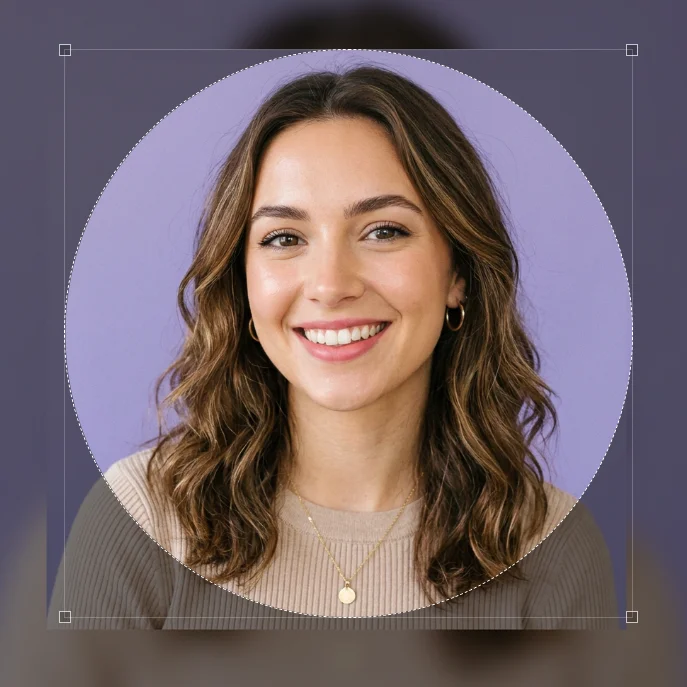
Crop your profile photos in circle shape for Tinder, Bumble, Hinge, and LinkedIn. Get a more friendly and attractive look. Using circular photos in dating apps increases your match rate.

Social Media Avatars
Create circular avatars on Instagram, Facebook, and Twitter. Grab your followers' attention and make your brand look more professional.
Logo and Brand Visuals
Crop your company logos and brand visuals in circle shape. Perfect for websites, business cards, and brochures.
Features
Powerful features of our free online circle cropper tool
Instant Processing
Crop your photos into circle shape in seconds. No waiting time, instant results.
Mobile Compatible
Works perfectly on phones, tablets, and desktop devices. Access from any device.
Secure and Private
Your photos are not stored on our servers. Deleted immediately after processing.
Precise Circle Cropping
Professional look with perfect circle cropping. Pixel-level control.
How It Works?
Crop your photos into circle shape in three simple steps
Upload Your Photo
Drag and drop your photo to our circle cropper tool or select a file. We support JPG, PNG and other formats.
Circle Crop
Automatically crop your photo into a perfect circle shape. Manual settings for precise control.
Download and Use
Download your circle cropped photo in high quality. Use for profile photos, social media, and logos.
Use Cases
Different scenarios where you can use the circle cropper tool
Profile Photos
Create perfect circle profile photos for platforms like Tinder, Bumble, Hinge, and LinkedIn.
Social Media
Create eye-catching circular avatars and posts on Instagram, Facebook, and Twitter.
Logo and Brand
Crop your company logos and brand visuals in circle shape. Ideal for websites and business cards.
Why Circle Cropper Tool?
The best online circle cropping solution for professional results
Frequently Asked Questions
Common questions about circle cropping tool
Is the circle cropper tool free?
Yes, our circle cropper tool is completely free. No registration required and unlimited use. We don't ask for credit card information and charge no subscription fees.
What formats do you support?
We support JPG, PNG, WebP, JPEG, GIF, BMP and TIFF formats. Fully compatible with most common image formats. We also support RAW formats.
Are my photos safe?
Yes, your photos are not stored on our servers. Deleted immediately after processing. Privacy is our priority and we implement zero-storage protocol.
Does it work on mobile devices?
Yes, our tool is compatible with all mobile devices. Works seamlessly on iOS and Android devices. Responsive design adapts to all screen sizes.
Is there quality loss?
No, we provide high quality output. Maintaining original quality for professional results. Circle cropping without pixel loss.
How many photos can I process?
You can process unlimited photos. No restrictions at all. Crop and download as many photos as you want in circle shape.
Is it suitable for profile photos?
Yes, you can create perfect circle profile photos for platforms like Tinder, Bumble, Hinge, LinkedIn. We adapt to each platform's ideal dimensions.
Can I use it for logo cropping?
Yes, you can crop your company logos and brand visuals in circle shape. Ideal solution for websites, business cards and brochures.
How long is processing time?
Completed in seconds. Instant results. Circle cropping takes on average 2-3 seconds.
What is the output size?
We provide high quality output while maintaining original size. Adjustable to your needs. Supports up to 1000x1000 pixels resolution.
Is batch processing supported?
Currently single photo processing is supported. Batch processing feature coming soon. Planning to process multiple photos simultaneously.
How to use?
Drag and drop your photo or select a file. Automatic circle cropping and download. Completed in three simple steps.
Is transparent background supported?
Yes, you can create circle photos with transparent background in PNG format. This feature is especially ideal for logos and icons.
What is the output format?
You can output in PNG and JPG formats. PNG for transparent background, JPG for smaller file size.
Is there a file size limit?
We support file sizes up to 10 MB. For larger files, we recommend compressing first.
Can it be used offline?
No, our tool works completely online. Internet connection required but processing is fast and data usage is minimal.
Are there ads?
No, our tool is completely ad-free. Unlimited and uninterrupted use. We prioritize user experience.
What is Circle Cropping?
Circle cropping is the process of cutting your photos into a circle shape. This technique is commonly used for profile photos, social media avatars, and logos. By placing square or rectangular photos into a circular frame, you achieve a more aesthetic and modern look.
With our free online circle cropper tool, you can do this in seconds. No complex software installations required, simply upload your photos directly from your browser and instantly crop them into a circle shape. No technical knowledge needed.
Especially on dating apps, professional networks, and social media platforms, circular profile photos provide a more eye-catching and friendly appearance. Using circular photos on platforms like Tinder, Bumble, Hinge, and LinkedIn helps your profile look more professional and modern.
The circle cropping process is done by cutting a circle shape from the center of the photo. This highlights the most important part of the photo and removes unnecessary details from the background. It's an ideal technique especially for portrait photos.
With the transparent background option, you can create circular photos in PNG format. This feature is especially important for logos and icons. Circular visuals with transparent backgrounds provide a modern look on websites and mobile apps.
Why Should You Use Online Circle Cropper Tool?
Traditional photo editing software can be complex and expensive. Our free online circle cropper tool simplifies this process and makes it accessible to everyone. Instead of learning Photoshop or similar programs, you can achieve professional results in seconds using our tool.
Additionally, our tool is entirely browser-based. No need to download or install any software. Your photos are processed directly in your browser and not uploaded to our servers. This protects your privacy and maximizes processing speed.
Thanks to our mobile compatibility, you can access from any device. Whether from your computer or phone, you can easily perform the circle cropping process. This flexibility allows you to edit your photos anytime and anywhere.
We use the latest technologies for professional results. We perform perfect circle cropping with pixel-level control. We provide output without quality loss, maintaining the original resolution.
Our customer support is always with you. If you have any questions or issues, our support team is ready to help you. We prioritize user experience and continuously make improvements.
Tips for Circle Cropping
When circle cropping, the positioning of your photo is very important. Ensure the person's face or important detail is at the exact center of the circle. This way you get the best look and important details won't be cut.
When circle cropping for profile photos, the person's eyes should be in the upper third of the circle. This composition rule provides a more professional and attractive look. This rule is especially important on platforms like LinkedIn and Tinder.
When circle cropping for logos, ensure the most important element of the brand (usually icon or text) is at the exact center. Using PNG format with transparent background, you can use your logo on any background.
When preparing circular photos for social media, consider the ideal sizes for each platform. 400x400 pixels for Instagram, 400x400 pixels for LinkedIn are ideal. By getting high resolution output, you can resize to fit each platform.
Lighting and color balance are also important for circle cropping. Properly edit your photo before the cropping process. By adjusting brightness, contrast, and color balance, you achieve a more professional look.
Platform Guides
Circle cropping usage for different platforms
Create perfect circular avatars for Instagram profile photos and stories. Grab your followers' attention. Ideal size for Instagram Stories.
Tinder
Crop your Tinder profile photos in circle shape. Get a more friendly and attractive look. Increase your match rate.
Use circle cropping for professional LinkedIn profile photos. Strengthen your corporate image. Expand your business network.
Use circle cropper tool for Facebook profile photos and cover images. Grab your friends' attention.
Create circular avatars for Twitter profile photos. Help your followers know you better.
Bumble
Crop your Bumble profile photos in circle shape. Get a modern and attractive look. More matches.
Hinge
Use circle cropping for Hinge profile photos. Provide a genuine and authentic look. Quality matches.
Circle crop for Pinterest profile photos and pin images. More aesthetic and organized appearance.
Comparison
Why should you choose our tool?
User Reviews
Thousands of satisfied users
"I edited my Tinder profile photo with the circle cropper tool. My match rate increased by 40%! Very easy to use."
Sophia Martinez
Tinder User
"Perfect for my LinkedIn profile photo. It looks professional and strengthened my corporate image."
James Anderson
LinkedIn User
"We cropped our company logo in circle shape and added it to our website. It looks great and improved our brand image."
Maria Garcia
Business Owner
"When I cropped my Instagram profile photo in circle shape, I started attracting more attention from my followers."
Thomas Brown
Instagram User
"I used it for my Bumble profile photo. I got a more modern and attractive look. Highly recommend."
Olivia Smith
Bumble User
"I use it to edit my Hinge profile photos. It provides a genuine and authentic look."
William Taylor
Hinge User
Professional Results with Circle Cropper Tool
Our free online circle cropper tool is the easiest and fastest way to crop your photos into a circle shape. By using circular profile photos on platforms like Tinder, Bumble, Hinge, and LinkedIn, you can achieve a more eye-catching and friendly appearance. Circular photos on dating apps help your profile look more modern and professional.
Circular avatars are also very popular on social media platforms. Using circular profile photos on Instagram, Facebook, and Twitter grabs your followers' attention and makes your brand look more corporate. By cropping your company logos in circle shape, you can achieve a professional look on your websites and business cards.
Our tool is completely free and requires no registration. Your photos are not stored on our servers, so your privacy is protected. With drag and drop simplicity, you can complete the circle cropping process in seconds. Get professional results with high quality output.
Circular profile photos show human faces more naturally and friendly. That's why circular photos are preferred on dating apps and professional networks. Using circular photos on platforms like Tinder and Bumble can increase your match rate.
Circular logos with transparent background provide a modern look on websites. You can get output with transparent background in PNG format. This feature is especially important for logo design and brand identity work.
Thanks to our mobile compatibility, you can access from any device. Works seamlessly on iOS and Android devices. Our responsive design adapts to every screen size and maximizes user experience.
Statistics
Reliable and popular circle cropper tool
Get Started
Join thousands of users perfecting their photos. Try it for free and discover the difference.
No credit card required • Free trial • Instant results