How to Make a Passport Photo Online in 2026: Complete Guide for US & UK
Learn how to make a compliant US passport photo or UK biometric passport photo online in 2026 using AI. Step-by-step guide with size requirements, common rejection reasons, and free tools to get it right the first time.
ON THIS PAGE
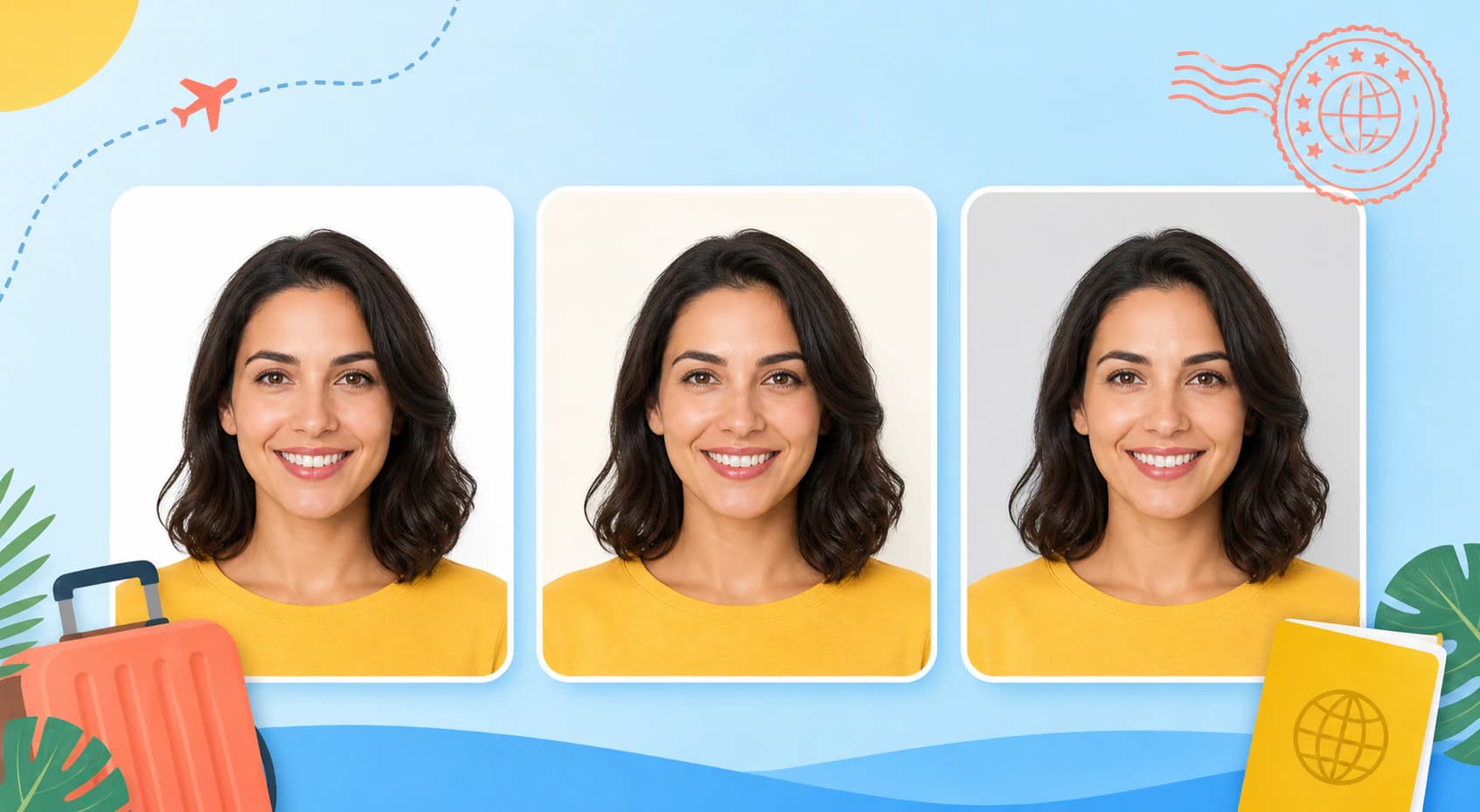
It is 2026, and the last time you needed a passport photo, you probably stood in a fluorescent-lit booth at a drugstore, paid $16 for four tiny prints, and left hoping you did not look like a wanted fugitive. The process has barely changed in decades, but the technology around it has transformed completely. Today, you can create a fully compliant passport photo from the comfort of your home using nothing more than your smartphone and an AI-powered photo editing platform. For those who don't have a suitable source photo, Nothron's Neural Headshot Generator can create studio-quality, passport-compliant portraits from scratch with AI.
Remini, Topaz Photo AI, and Adobe Photoshop all offer editing tools that can help, but they are either limited in their free tiers or require professional-level expertise to navigate complex menus. Nothron takes a different approach, combining the precision of a professional photo editor with the simplicity of AI automation, making passport photo creation accessible to everyone.
In this comprehensive guide, we will walk you through the exact passport photo requirements for both the United States and the United Kingdom, show you how to avoid the most common rejection reasons, and demonstrate how you can create a fully compliant passport or visa photo online using Nothron's free tools.
#US Passport Photo Requirements (2026)
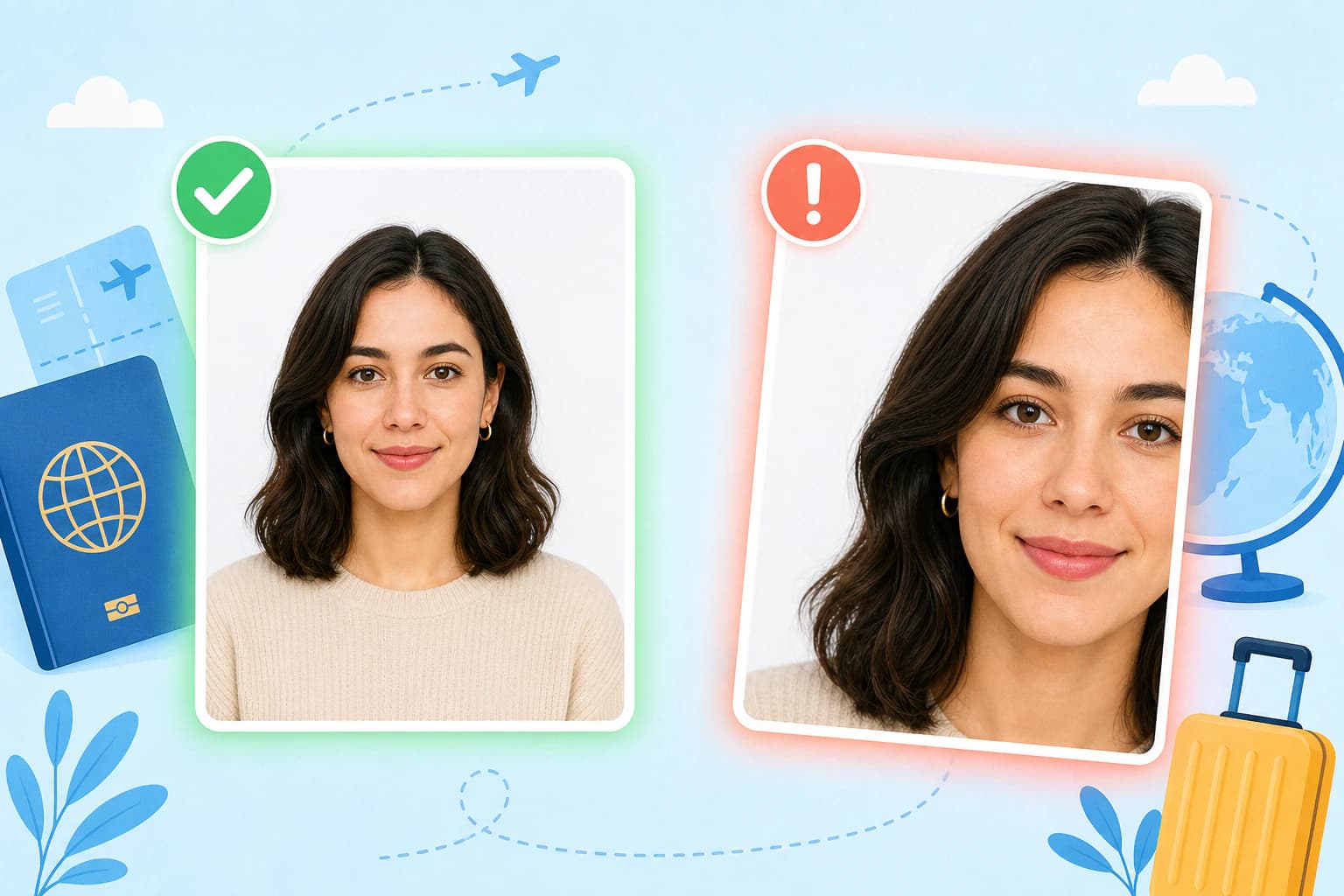
The United States Department of State maintains strict guidelines for passport photos. Deviating from even a single requirement can result in your application being rejected or delayed. Here are the exact specifications:
#Dimensions
- Size: Exactly 2 x 2 inches (51 x 51 mm)
- Head size: From chin to top of head, between 1 inch and 1 3/8 inches (25 to 35 mm)
- Image quality: Must be high-resolution, sharp, and in focus
#Background
- Solid white or off-white background
- No patterns, gradients, or shadows on the background
- The background must contrast clearly with the subject
#Lighting and Expression
- Lighting: Even, front-facing lighting with no shadows on the face or background
- Expression: Neutral expression with both eyes open and mouth closed
- Pose: Full front view, face centered, shoulders squared
#Prohibitions
- No glasses — The US banned glasses in passport photos in 2018
- No hats or head coverings — except for religious or medical reasons with a signed statement
- No headphones, wireless devices, or hands-free devices
- No uniforms or camouflage attire
- No shadows on the face or background
#Recent Photo Requirement
Your passport photo must have been taken within the last 6 months. This applies to both new applications and renewals.
#UK Biometric Passport Photo Requirements (2026)
His Majesty's Passport Office has equally specific requirements for UK biometric passport photos. The key difference from US requirements is the dimension and background color standards.
#Dimensions
- Size: 35 mm wide x 45 mm tall (35 x 45 mm)
- Head size: The height of the face (chin to crown) must be between 29 mm and 34 mm
- Image quality: High-quality paper (not matte), printed at a professional photo lab (for paper applications) or high-resolution digital file (for online applications)
#Background
- Cream or light grey background (not white)
- Evenly lit, no shadows, no patterns
- Must be plain and uniform
#Lighting and Pose
- Lighting: Even, no shadows on the face or behind the head
- Expression: Neutral expression, mouth closed, eyes open and clearly visible
- Pose: Facing forward, looking directly at the camera
- Head position: Not tilted, centered in the frame
#Prohibitions
- Glasses — Allowed only if eyes are clearly visible with no glare; frames must not obscure any part of the eyes. We recommend removing them.
- No head coverings — except for religious or medical reasons
- No hair across the face — hair must be kept back from the face
- No shadows or red-eye
- No other people or objects in the photo
#Digital Photo Requirements (Online Applications)
- Must be a JPEG or PNG file
- Minimum resolution: 600 x 750 pixels
- Maximum file size: 10 MB
- Must be in colour (black and white is not accepted)
#Why Passport Photos Get Rejected
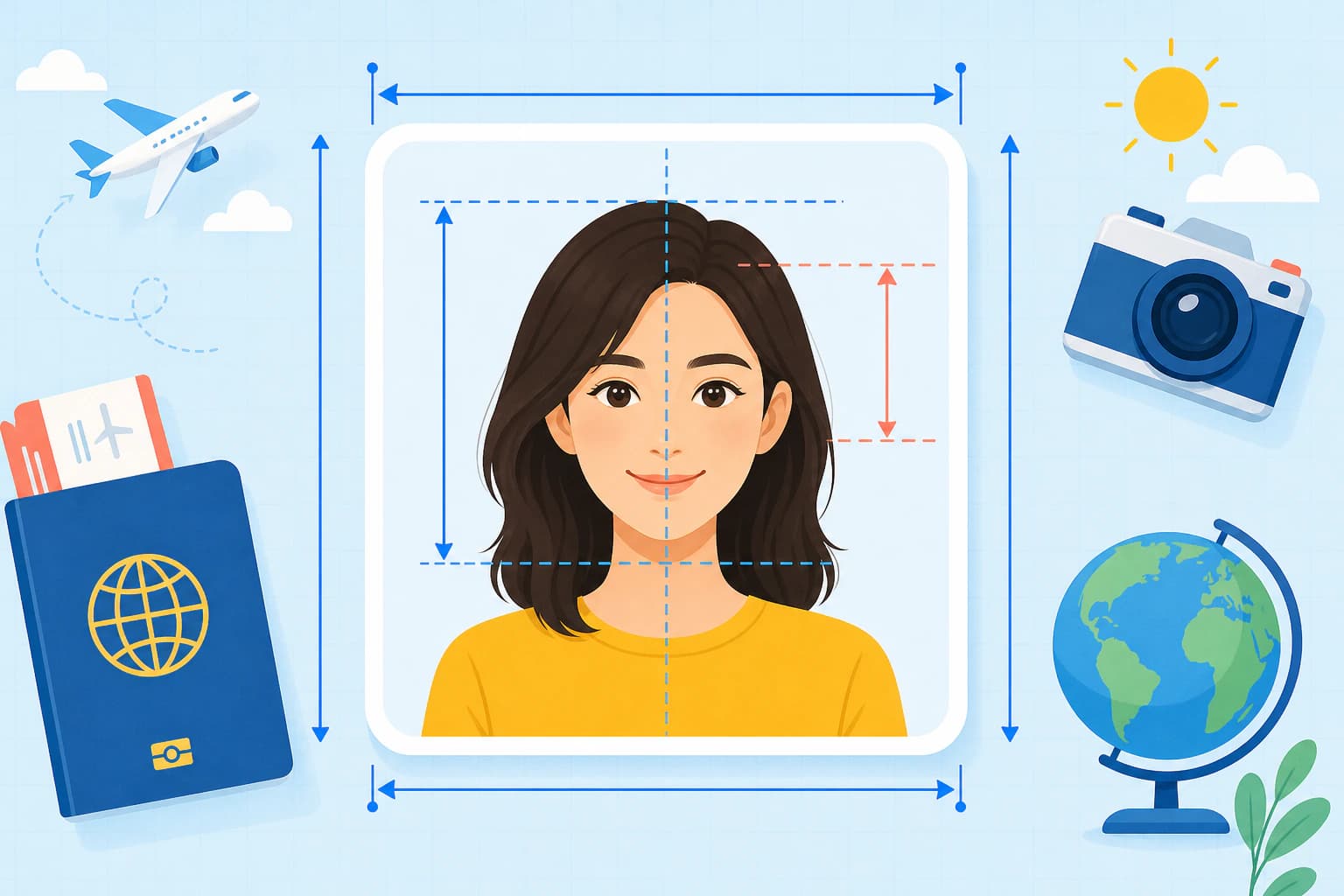
According to the US Department of State, approximately 10% of all passport applications are delayed due to photo rejection. The UK Passport Office reports similar rates. Understanding the most common rejection reasons can save you weeks of processing time.
#Top 10 Rejection Reasons
- Incorrect size or cropping — The most common reason. Either the overall dimensions or the head size falls outside the allowed range.
- Wrong background — Off-white that is too dark, or a background with shadows or patterns.
- Glasses or eyewear — In the US, glasses are banned entirely. In the UK, glare or frame obstruction is a common issue.
- Facial expression — Smiling, frowning, raised eyebrows, or an open mouth can all trigger rejection.
- Shadows on the face or background — Harsh lighting creating shadows behind the head or under the chin.
- Poor image quality — Blurry, pixelated, or low-resolution photos.
- Bad lighting — Uneven lighting, overexposure, or underexposure.
- Head position — Head tilted, not centered, or not facing directly forward.
- Hair or accessories — Hair covering the face, or prohibited accessories like headphones.
- Photo too old — The photo was taken more than 6 months before the application date.
#How AI Prevents Rejection
AI-powered photo editing tools like Nothron's Neural Engine can automatically detect and correct many of these issues before you submit:
- AI portrait generation — Nothron Neural Headshot Generator creates studio-quality portraits that already meet passport requirements
- Background detection — AI automatically identifies the background and can correct it to the required color standard
- Face detection — Automatically verifies that your face is properly centered and sized
- Lighting analysis — Detects shadows and can balance lighting using Natural Glow
- Crop presets — Built-in US 2x2 and UK 35x45 crop templates ensure perfect dimensions
- Quality check — AI flags blur, low resolution, and other quality issues
#How to Make a Passport Photo Online with AI
Creating a compliant passport photo at home is surprisingly simple with the right tools. Here is a step-by-step process that works for both US and UK requirements.
#What You Will Need
- A smartphone or digital camera
- A plain wall (white or light-colored)
- Natural, even lighting (window light works best)
- A photo editing tool (Nothron or similar)
#Step 1: Take the Photo
Find a well-lit area near a window or use a ring light. Stand against a plain wall. Have someone take a photo of you from approximately 4-5 feet away. Ensure your shoulders are squared to the camera and you are looking directly into the lens.
Tips for a Good Source Photo:
- Lighting is everything — Avoid overhead lights that create shadows under your eyes and chin. Position yourself so the light is in front of you.
- Wear contrasting clothing — Dark clothing against a light background helps define your shoulders
- Remove accessories — Take out earrings, necklaces, and any hair accessories before shooting
- Check for shadows — Have someone check for shadows behind your head before you finish
#Step 2: Crop to Correct Dimensions
This is where precision matters most. Use an online image cropper with preset passport photo dimensions:
- US Passport: 2 x 2 inch crop preset
- UK Passport: 35 x 45 mm crop preset
Nothron's free online image cropper includes both presets, so you do not need to remember these numbers or use complex photo editing software.
#Step 3: Adjust the Background
If your wall was not perfectly white, cream, or light grey, you can use photo editing tools to correct the background. The key rule is that the adjustment must be uniform and natural-looking. Overly synthetic backgrounds can trigger manual review at the passport office.
Nothron's Neural Engine can intelligently detect the background and adjust it to comply with US or UK requirements while keeping the foreground natural.
#Step 4: Enhance Image Quality
Passport photos must be clear, sharp, and well-exposed. Use AI enhancement tools to:
- Improve sharpness — AI upscaling can sharpen slightly soft images without making them look artificial
- Balance exposure — Correct underexposed or overexposed areas
- Remove minor blemishes — But do NOT alter facial features or structure
The Nothron Neural Engine applies these enhancements in a single click while preserving your natural appearance.
#Step 5: Final Verification
Before submitting, double-check your photo against the official requirements:
- Is the background the correct color without shadows?
- Are your eyes open and visible?
- Is your expression neutral with mouth closed?
- Are the dimensions exactly correct?
- Is the image high-resolution and in focus?
#Alternative: Use Nothron Neural Headshot Generator
If you don't have a suitable photo to start with, or simply want the easiest possible workflow, the Nothron Neural Headshot Generator can do everything automatically:
- Upload any casual photo or let the AI generate a professional headshot from scratch
- The tool automatically applies correct passport dimensions, background color, and lighting
- Output is ready to submit — no manual cropping, background correction, or quality checks needed
- Works for both US 2x2 and UK 35x45mm passport formats
This approach eliminates the entire multi-step workflow, making passport photo creation as simple as clicking a button.
#Using Nothron for Compliant Passport Photos
Nothron offers a comprehensive suite of free online tools that make passport photo creation straightforward. Here is how each tool fits into the workflow:
#Free Online Image Cropper
The free online image cropper is the cornerstone of passport photo creation. It includes:
- Preset crop ratios for US passport (2x2), UK passport (35x45mm), and standard ID sizes
- Precision controls for pixel-perfect positioning
- Real-time preview so you can see exactly how the final photo will look
- One-click download in high-resolution JPEG or PNG
#Neural Engine
The Nothron Neural Engine uses advanced AI to enhance your passport photo:
- Automatic background correction — Detects and fixes background color, shadows, and irregularities
- Face-aware lighting — Ensures even illumination across the face
- AI sharpening — Enhances image clarity while maintaining natural skin texture
- No facial alteration — Unlike some AI tools, Neural Engine improves quality without changing your facial features, keeping the photo compliant
#Natural Glow
The Nothron Natural Glow tool is specifically designed for portrait enhancement:
- Skin tone balancing — Corrects uneven skin tone caused by shadows or lighting
- Subtle smoothing — Reduces minor texture issues without creating a plastic look
- Eye brightening — Makes eyes more visible and engaging while staying natural
#Photo Editor Suite
The full photo editor provides additional fine-tuning:
- Brightness and contrast adjustments for perfect exposure
- Color temperature tuning to ensure accurate skin tones
- Rotate and straighten tools for perfect alignment
- Black and white conversion if needed (though colour is standard for passports)
#Nothron Neural Headshot Generator
The Nothron Neural Headshot Generator takes a fundamentally different approach to passport photo creation. Instead of editing an existing photo, it can generate a studio-quality portrait that inherently meets passport requirements:
- AI portrait generation — Creates professional headshots from simple input photos or prompts
- Built-in compliance — Output photos are automatically sized, lit, and composed for passport standards
- Studio-quality lighting — AI applies professional lighting that eliminates shadows and uneven exposure
- Background perfection — Automatically generates the correct background color (white for US, cream/light grey for UK)
- Natural appearance — Unlike basic generative AI tools, the headshot generator maintains your authentic facial features
#Passport Photo vs Traditional Photo Studio vs AI
AI-Powered (Nothron): Free, 5 minutes, unlimited free retakes, AI compliance check, digital file included, AI background control
Drugstore Photo Booth: $16 - $20, 15 minutes + travel, pay each retake, human checker, digital file usually included, fixed studio setup
Professional Photographer: $40 - $100, 1-2 hours + travel, pay per session, professional judgment, digital file often extra cost, fixed studio setup
#When to Use Each Option
AI-powered (Nothron) is best when:
- You need a photo quickly and do not want to travel
- You want unlimited free attempts to get it right
- You have a smartphone and can take a decent self-portrait
- You want both digital and printable versions
Drugstore photo booth is best when:
- You need physical prints immediately
- You do not have a smartphone or camera
- You are not comfortable using photo editing tools
Professional photographer is best when:
- The photo is for a very strict visa or government application
- You need professional retouching within compliance limits
- You are applying from a country with specific in-studio requirements
#Frequently Asked Questions
#Can I smile in my passport photo?
No. Both US and UK passport photo regulations require a neutral expression with both eyes open and mouth closed. A slight, close-lipped natural expression may be acceptable, but a full smile will likely result in rejection.
#Can I wear makeup in my passport photo?
Yes, but keep it natural. Heavy makeup, dramatic contouring, or obvious cosmetic enhancement can cause issues. The photo should represent your natural appearance.
#Can I submit a black and white passport photo?
No. Both the US Department of State and UK Passport Office require colour photographs. Black and white photos will be rejected.
#What if my baby needs a passport photo?
Infant and toddler passport photos follow the same basic requirements, with some flexibility. The child does not need to have their eyes open or mouth closed, but the background and lighting requirements remain strict. Nothron's tools work equally well for children's passport photos.
#How long does it take to get a passport photo approved?
The photo is typically reviewed as part of your passport application. Routine applications take 6-8 weeks in the US and up to 10 weeks in the UK. If your photo is rejected, you will receive a letter requesting a new photo, which adds significant delay.
#Can I use a passport photo for a visa application?
Visa photos often have different requirements than passport photos. For example, US visa photos must be 2x2 inches but with slightly different head size ranges. Always check the specific requirements for the visa you are applying for.
#Can I edit my passport photo with Photoshop?
You can use Photoshop or any photo editor to make compliant adjustments like cropping, background correction, and lighting fixes. However, you must not alter your facial features, add or remove significant elements, or otherwise misrepresent your appearance. Nothron offers a simpler, more focused alternative for this specific use case.
#Final Thoughts
Getting a compliant passport photo no longer requires a trip to the drugstore or an appointment with a professional photographer. With AI-powered tools like Nothron, you can create a perfectly sized, properly lit, fully compliant passport photo from your own home in minutes.
The key is understanding the requirements for your specific country and using the right tools to meet them precisely. Whether you need a US 2x2 passport photo, a UK 35x45mm biometric photo, or an ID photo for any other purpose, Nothron's free online tools give you everything you need to get it right the first time.
Create Your Compliant Passport Photo Free Now →
No credit card required. No registration required. Just upload your photo, select your document type, and download your compliant passport photo instantly.
#Related Blog Posts
Check out our other blog posts for more photo editing guides:
- Nothron Neural Headshot Generator Advantages 2026 — Professional AI portrait creation
- Nothron All-in-One Photo Studio 2026 — All photo editing tools in one platform
- Nothron Neural Engine AI Photo Enhancement Guide 2026 — AI-powered photo quality enhancement
#Related Tools
Nothron tools you can use for passport photo creation:
- Nothron Neural Headshot Generator — Professional headshot creation tool
- Free Online Image Cropper — Crop photos to exact dimensions
- Nothron Neural Engine — AI-powered photo enhancement
- Nothron Natural Glow — Natural skin tone and light correction
- Photo Editor — Complete photo editing toolkit
#Author Bio
Nothron Team is a group of AI and photo editing experts dedicated to creating the best all-in-one photo editing platform. With years of experience in AI technology, computer vision, and professional photography, we've built Nothron to combine the power of multiple photo editing tools into one seamless experience. Our mission is to make professional photo editing accessible to everyone through advanced AI technology.
Nothron Team
The Nothron team turns experience in AI, computer vision and professional photography into a photo studio that anyone can use.
Related articles
Should You Smile in Your Headshot? What the Research Actually Says (2026)
Oct 25, 2026 · 26 min read
Professional Headshot Cost in 2026: What You Really Pay in 7 Countries
Oct 24, 2026 · 22 min read
How to Take Photos for an AI Headshot Generator: The 10–15 Photo Checklist (2026)
Oct 23, 2026 · 27 min read