How to Take Photos for an AI Headshot Generator: The 10–15 Photo Checklist (2026)
The quality of an AI headshot is set before you click generate. A practical 10–15 photo checklist covering lighting, angles, expressions, clothing, file checks and fixes for results that don't look like you.
ON THIS PAGE
The most common AI headshot failure does not happen when you press generate. It happens in your camera roll.
You choose six photos from a wedding, one with sunglasses, two with friends, one from 2019 and one with a beauty filter. The tool learns from exactly that evidence. The result looks polished, familiar and somehow not quite you. You blame the generator. It never had enough information to do better.
This guide covers the part before generation: how to shoot or select 10–15 source photos that show your face from enough angles, expressions and lighting conditions for an AI model to build a believable portrait. It takes about 20 minutes with a phone. No studio or professional camera required.
Tool requirements differ. Nothron asks for 10–15 photos. HeadshotPro's 2026 model says 1–3 selfies. BetterPic suggests 8–12. Those numbers reflect different architectures, not a universal standard. What travels across tools is the principle: the model can only reproduce what your photo set shows it.
Scope note: This is not a guide to posing for a final headshot. It is a guide to the source photos an AI model learns from. For the finished look, see the profession-specific and platform-specific guides linked below.
#What an AI headshot generator actually learns from your photos
An AI headshot generator does not copy one photo and paint a suit over it. It studies a set and builds a statistical understanding of your face: eye spacing, jaw width, nose bridge, hairline, and the way light sits on your cheekbones. Then it generates new images that should still read as you.
One photo is one witness. It shows one angle, one expression and one light direction. The model has to guess the rest, and guessing is where likeness drifts.
| Layer | What the model reads | What weakens the signal |
|---|---|---|
| Geometry | Face shape, jawline, nose, ears, hairline | Extreme angles, wide-angle distortion, cropped face |
| Texture | Skin tone, pores, freckles, moles, hair | Beauty filters, smoothing, low resolution |
| Styling | Hair length, facial hair, glasses, neckline | Mixing years or looks |
| Expression | How eyes, cheeks and mouth move | Fifteen identical smiles |
| Lighting | How the face responds to soft light | Harsh overhead light, backlight |
The model is not trying to make you look better. It is trying to make you look consistent. If your set is inconsistent, it averages the differences. That average is how you end up with a face that looks like you, your cousin and a stock photo at the same time.
The best input photo is not the most flattering one. It is the one that gives the model the clearest evidence. A sharp, evenly lit photo with visible skin texture beats a soft-focus picture with a perfect jawline. Filters are damaging because they do not just remove pores; they reshape the face, enlarge the eyes and smooth the transitions between light and shadow.
Input photos vs. final headshots: inputs are raw material; outputs are styled. Do not try to shoot a finished LinkedIn headshot fifteen times. Shoot fifteen pieces of evidence, then let the tool build the finished headshot. For the technical pipeline, see how Nothron's AI headshot architecture works.
#How many photos do you need? The 10–15 rule
The short answer for Nothron is 10 to 15 photos. Ten is the minimum the upload flow accepts; fifteen is the maximum. The useful question is not "what is the magic number?" but "how much of my face does this set cover?"
#Why 10 is the practical floor
Five angles multiplied by two expressions gives you ten photos. That is the minimum needed to show both sides of your face and more than one way your features move. With fewer than ten, one weak photo has too much influence.
#Why 15 is the ceiling
Fifteen lets you cover five angles and three expressions: neutral, micro-smile and genuine smile. That is enough range without turning the set into a pile of near-duplicates. Once you have all five angles and three expressions, extra frames usually repeat information and can bias the model toward one look.
#What other tools recommend
| Tool | Public guidance | What it tells you |
|---|---|---|
| HeadshotPro | 1–3 selfies; 40 photos in under 10 minutes | A newer model can work from very little input |
| BetterPic | 8–12 varied photos, roughly 7–11 chest-up and 1–2 half-body | More coverage is still the default for likeness |
| Aragon | "A few" photos; quality over quantity | Convenience is part of the promise |
| Nothron | 10–15 JPG/PNG photos | The workflow is designed around coverage |
| HeadshotPhoto.io | Shoot 14–22, upload 8–12 | A specialist workflow that separates shooting from selection |
Sources: HeadshotPro's model announcement, BetterPic's free tool guidance, Aragon's AI headshot guide and HeadshotPhoto.io's selfie workflow. All accessed 23 October 2026.
Photo count follows architecture. A model trained to extract a strong identity signal from a few images can ask for less. A workflow designed to preserve likeness across many styles may ask for more.
If your tool asks for 10–15, use the full range when you can. If it asks for fewer, still prioritise variety. If you only have six to eight usable photos, do not pad the set with old, filtered or group shots. Take twenty minutes and shoot the missing angles.
For Nothron's workflow, the upload step is here: Nothron Neural Headshot Generator.
#The 7-point input photo checklist
Judge the set, not each photo in isolation. A beautiful image can be useless if it repeats what you already have.
| # | Criterion | Pass | Fail | Why it matters |
|---|---|---|---|---|
| 1 | One face, unobstructed | Solo, eyes visible, hair off the face, no sunglasses or hat indoors | Group shot, hand on face, deep shadow over one eye | The model needs your whole face |
| 2 | Sharp focus and resolution | Eyes crisp at 100%; original file | Blurry, screenshot, messaging-app copy | Soft files produce soft features |
| 3 | Even, soft light | Window light or diffused daylight; both sides readable | Harsh overhead light, backlight, flash | Shadows hide geometry and texture |
| 4 | Angle variety | Front, 15° left/right, 35° left/right | Five photos from the same side | Angles reveal jaw, ears and hairline |
| 5 | Expression variety | Neutral, micro-smile and genuine smile | One expression repeated | Range keeps the output from freezing |
| 6 | Current look | Last few months; same hair, facial hair and glasses | Years mixed together | The model averages different people |
| 7 | Background variety | Three clean settings with separation from hair | Busy patterns, dark hair on dark wall | Clean edges and realistic depth |
Give each criterion 0, 1 or 2 points across the whole set: 2 for fully covered, 1 for partly covered, 0 for missing. As a rule of thumb, a score of 10 or more out of 14 is a good sign that the set is ready. Most weak sets lose points on lighting, angle variety and current look, not on the number of files.
If you can only fix two things, fix lighting and angles. Lighting affects every feature; angles determine how much of your face the model actually sees. Expression variety comes next. Background variety is the easiest to add and the least important for likeness.
You do not need all seven criteria in every photo. You need all seven across the set. The set is the unit that matters.
#Lighting: the biggest quality lever
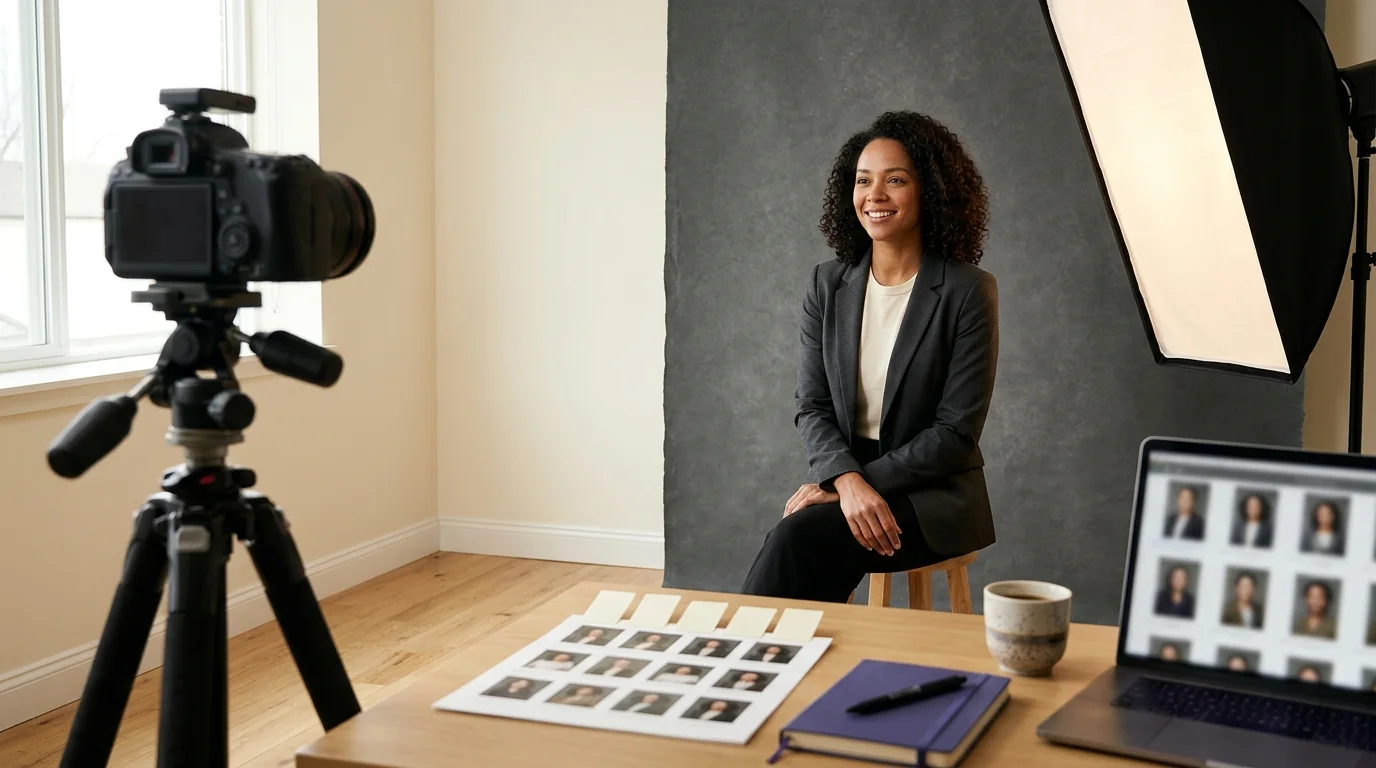
If you change one thing about your input photos, change the light. Good lighting does not just make you look better; it gives the model cleaner information about the shape of your face.
#The window-light setup
- Stand about one metre from a window, facing it, on a cloudy day or in indirect sunlight.
- Turn off overhead lights so you do not mix colour temperatures.
- Hold the phone at eye level, slightly to one side so the light models your cheekbones.
- Tap the screen on your face to set exposure; lower it slightly if your face is too bright.
- Check that both eyes have a catchlight and the shadow side still has detail.
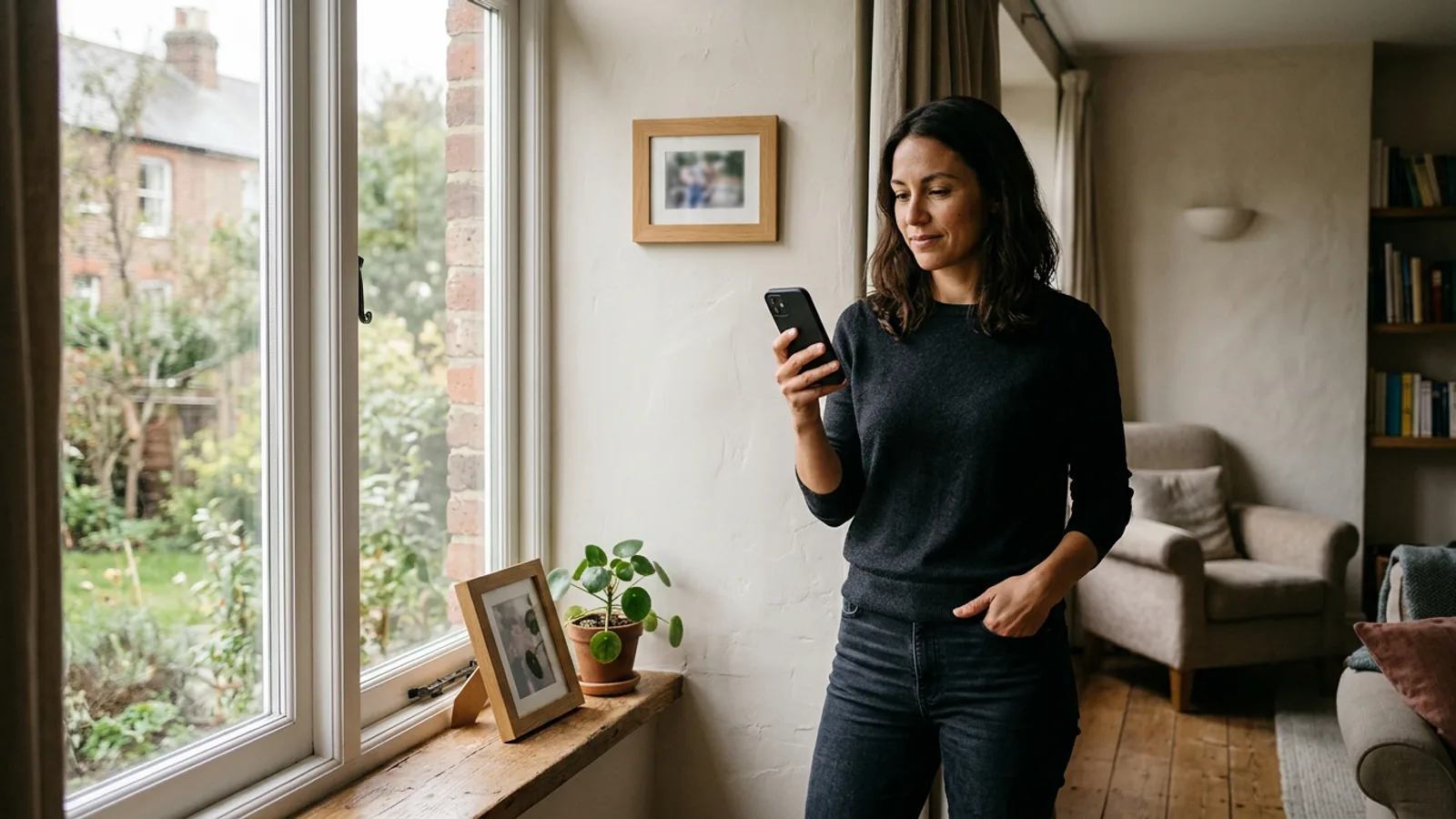
This is the principle professional portrait photographers use: soft, directional light with a gentle falloff. Adobe's portrait lighting guide recommends window light, especially on an overcast day.
#Three lighting mistakes to avoid
Overhead downlight: a ceiling light directly above creates dark eye sockets and a shadow under the nose. It is the most common reason a selfie looks tired.
Strong backlight: a bright window or sun behind you turns your face into a silhouette. If you like the glow, turn so the light is at a 45-degree angle to your face.
Mixed colour temperatures: a warm lamp on one side and cool daylight on the other gives contradictory skin tones. Turn off the lamp or move rooms.
The phone flash is rarely your friend for source photos. It flattens the face, creates shine and can produce a hard shadow behind the head. Prefer natural light. HDR can help with bright windows and dark corners, but it can also make skin look flat if it lifts every shadow.
Underexposure is a particular risk for deeper skin tones: check that the forehead, cheeks and chin are readable, and avoid strong backlight. If you wear glasses, watch for glare on the lenses and the frame cutting across your eyes. If the glare covers an eye, reject the frame.
#Angles: build a 360° identity map
Most people take every selfie from the same angle. The model then learns one view of the face and has to invent the rest. Give it five angles instead.
| Angle | What it reveals | Common mistake |
|---|---|---|
| Front | Symmetry, eye spacing, nose bridge, mouth shape | Chin lifted or camera above eye level |
| 15° left | Everyday three-quarter view; cheek and jaw on one side | Turning only the phone, not the body |
| 15° right | The opposite three-quarter view; balances the set | Repeating the same side twice |
| 35° left | Jawline, ear shape, hairline, temple | Turning so far the far eye disappears |
| 35° right | The opposite profile-ish view; catches asymmetry | Hiding the ear or hairline with hair |
The exact degrees do not need to be measured. Move in small, deliberate steps: straight on, a slight turn, a stronger turn, and the same on the other side. Rotate your body rather than just swivelling the phone. That keeps the light consistent and the background stable.
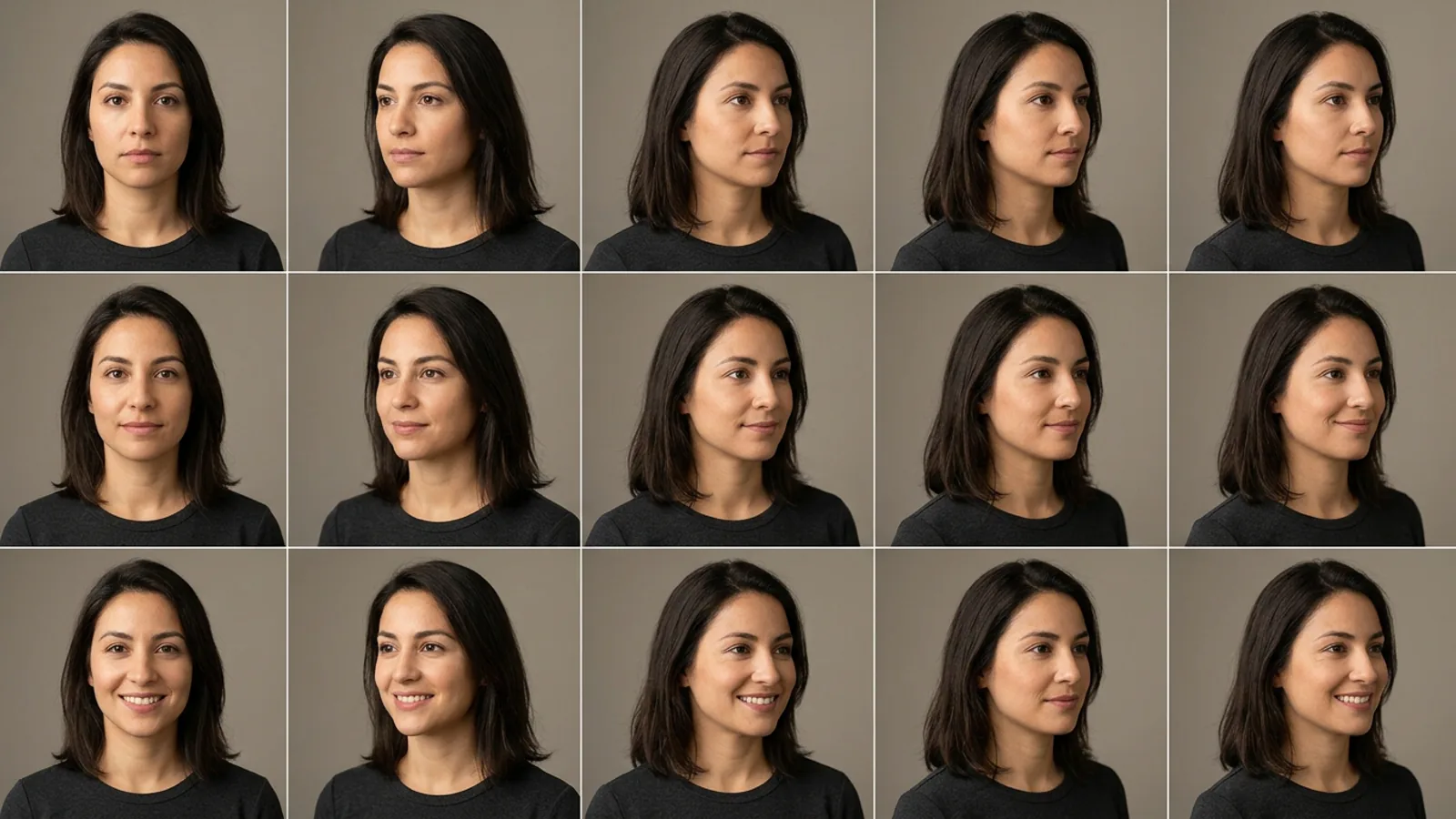
Hold the camera at eye level. A slightly high angle can flatter a selfie, but it also enlarges the forehead and shrinks the chin. For source photos, neutral is better.
Stand about one to one-and-a-half metres from the phone if you can. Use the main camera at 1x or 2x, not the front camera at 0.5x. If you are shooting alone, prop the phone against books or use a tripod and the timer.
This matters more than most people realise. A 2018 mathematical model in JAMA Facial Plastic Surgery estimated that a selfie taken about 30 cm from the face makes the nasal base appear roughly 30% wider and the tip about 7% wider than a portrait taken at 1.5 m (PMC5876805). The cause is distance, not just lens choice: the closer the camera, the more the nose is exaggerated relative to the ears. Stepping back and using 2x gives the model more accurate proportions.
Keep the edges of your face visible: avoid covering one side for the whole set, and tuck your hair behind your ear in a few frames so the jawline and ear shape are clear. If you wear glasses, keep them on for most frames.
Do not make a special effort to look symmetrical. Natural asymmetry is part of identity. The goal is coverage, not a passport photo.
#Expressions: neutral, micro-smile, genuine smile
A balanced 15-photo set has five neutral, five micro-smile and five genuine-smile frames. That gives the model a range of cheek, eye and mouth positions without letting one expression dominate.
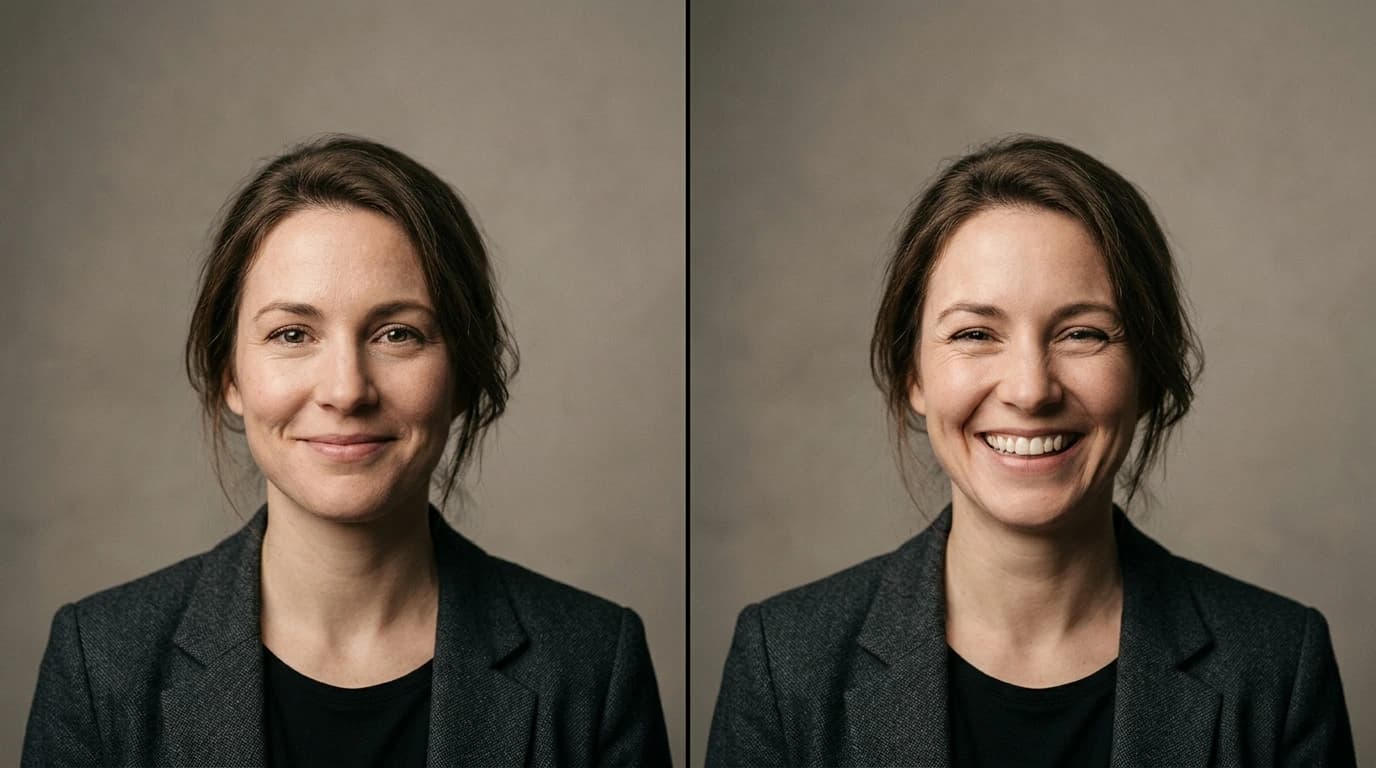
Neutral is not angry or blank. It is a relaxed face with the lips together, the jaw loose and the eyes soft. Neutral frames preserve the geometry of your face most clearly; smiles change the cheeks, narrow the eyes and pull the mouth in ways that can mask the underlying structure.
If you want a warm LinkedIn headshot, shift the balance to seven neutral, five micro-smile and three genuine smile. Keep at least three smiles so the model has a positive expression to work with. Do not submit fifteen smiles; the output will look frozen.
A real smile starts in the eyes. Think of a private joke, exhale slowly through your nose as you smile, and let the corners of your eyes crinkle. Keep your chin level; lifting it is the fastest way to make a smile look artificial. A micro-smile is easier: lips closed, a slight upward pull, eyes engaged.
Avoid a chin lift or tuck, a head tilt beyond about ten degrees, squinting into the sun, a fake laugh with flat eyes, and shoulders hunched around the ears. Take two frames of each expression and choose the one where your eyes look alive.
#What to wear and how to groom
The AI can generate clothing, but your input photos still define your neck, shoulders and the way a collar sits. Dress for the context you want, not for a fashion shoot.
A simple crew neck, shirt collar or blouse works well. A collar gives the model a clear edge; a very low or asymmetrical neckline can make generated clothing look unstable. Avoid scarves, turtlenecks and bulky jackets that hide the neck and jaw.
Small checks, fine stripes and logos can shimmer or warp. Solid colours and simple textures are safer. Large earrings, layered necklaces and reflective jewellery are common sources of edge artefacts. If you normally wear a small pair of earrings, keep them; if you are trying a statement piece for the first time, leave it out.
Pick one version of you and stick to it. Do not mix a beard and a clean shave, long hair and a fresh haircut, or glasses and no glasses in equal measure. If you have just changed your look, wait a few days or shoot a new set.
For field-specific wardrobe advice, see the professional headshot guide by profession.
#Backgrounds, location and camera settings
Background variety helps the final set feel less repetitive, but it should never compete with your face.
Indoor: face a window, keep the wall behind you simple, and avoid a dark wall directly behind dark hair. If the wall is busy, move closer to the window and let the background fall slightly out of focus.
Outdoor: stand in open shade, not direct sun. A wall or hedge behind you gives separation; a bright sky behind you creates backlight. Avoid wind that moves your hair between frames.
The model needs to know where your hair ends and the background begins. Avoid patterned wallpaper, shelves full of objects, strong vertical lines and a background the same tone as your hair. A plain wall or a softly blurred outdoor background is easier to read.
Use the main camera at 1x or 2x, turn on the grid, tap to focus on your face and adjust exposure. Use portrait mode only if the edge around your hair looks clean. Turn off beauty mode, skin smoothing and face reshaping. Clean the lens before you start; a smudge is the quietest cause of soft photos.
Use the original JPG or PNG. Avoid screenshots, WhatsApp copies, Instagram downloads and images that have been through a messaging app. Compression softens the eyes, skin texture and hair edges, which are exactly the details the model needs. If you are choosing between two similar photos, pick the one with sharper eyes and more natural skin, even if the composition is less flattering. The AI can fix composition; it cannot recover detail that was never there.
For final framing and circular crops, see the photo cropping guide.
#The 20-minute phone session: your 15-photo shot list
Set aside twenty minutes, find a window, and shoot the whole set in one go.
Setup: a charged phone with a clean lens, a window with soft daylight, three background spots (window wall, plain wall, shaded outdoor), a tripod or stack of books at eye level, the timer set to 3 or 10 seconds, and comfortable clothes that match the use case.
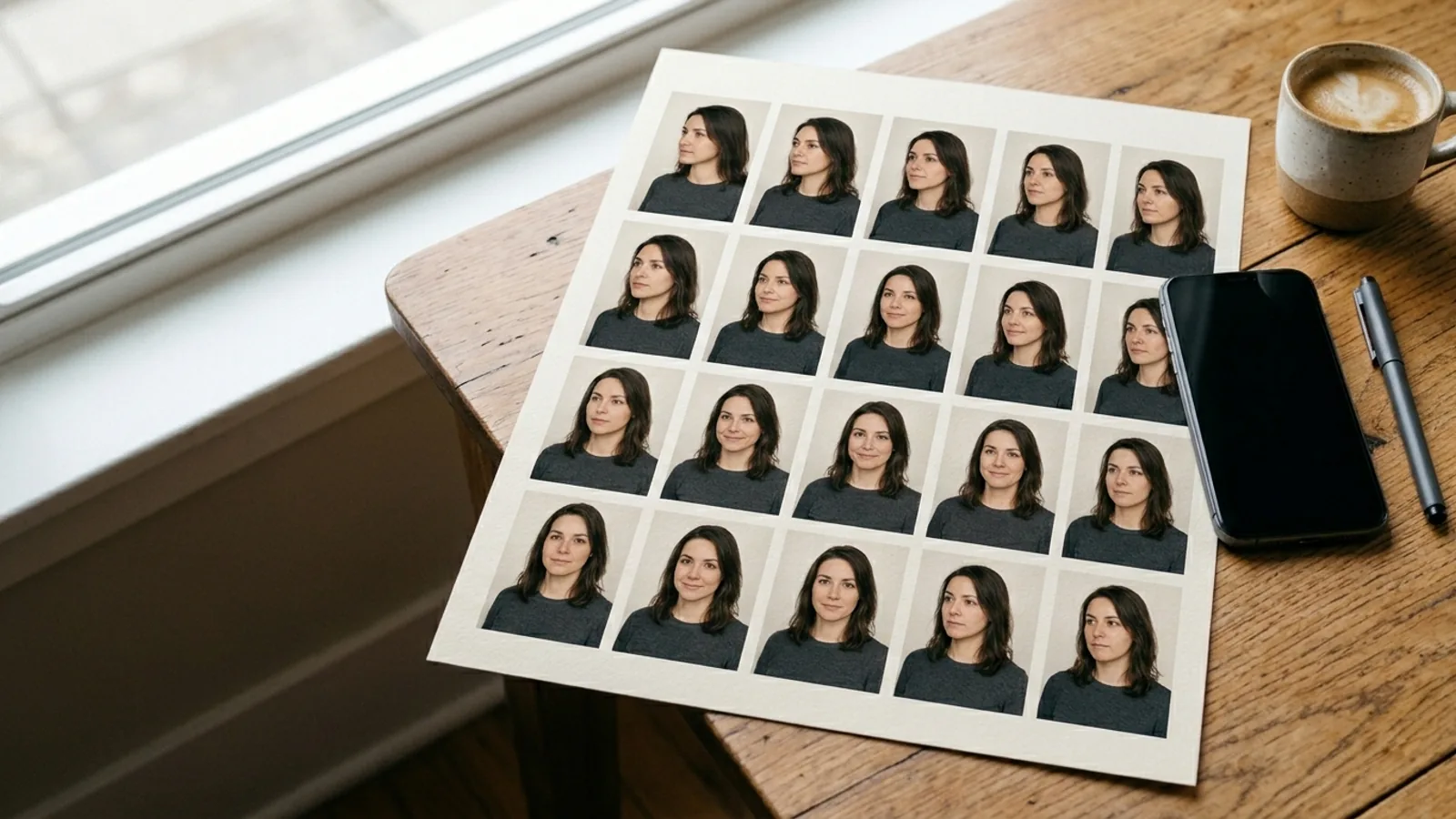
Take two frames for every cell, then keep the sharper one. That gives you 30 frames to choose from and 15 to upload.
| Angle | Neutral | Micro-smile | Genuine smile |
|---|---|---|---|
| Front | 01 | 02 | 03 |
| 15° left | 04 | 05 | 06 |
| 15° right | 07 | 08 | 09 |
| 35° left | 10 | 11 | 12 |
| 35° right | 13 | 14 | 15 |
Move through the angles in order. For each angle, take the neutral frame first, then the micro-smile, then the genuine smile. Keep your body still and rotate slightly from the hips. Check the screen after each round, not after every frame.
Review the 30 frames at 100% on your phone or computer. Reject anything with soft eyes, motion blur, a stray hand or hair across the face, glare on glasses, a background line cutting through your head, or a smile that looks forced.
Keep the best 15. Rename them if your tool allows it, for example 01_front_neutral or 04_left15_micro. The names do not matter to the AI, but they make gaps easier to spot before you upload.
If you are using Nothron, this is the kind of set the 10–15 upload step is designed for. The tool checks each photo for a face, multiple faces and whether the face is large enough in the frame.
#Using photos from your camera roll
You do not always need a new shoot. If you have a deep camera roll, you can build a usable set from existing photos, as long as you are honest about what is missing.
Sort candidates into three buckets:
- Recent: taken in the last three to six months, showing your current hair, facial hair and glasses.
- Clear: solo, sharp, evenly lit, face large enough in the frame.
- Varied: different angles, expressions and backgrounds.
A photo must pass all three to be a strong candidate. A recent photo with friends fails "clear." A clear photo from 2019 fails "recent." A recent, clear photo from the same angle as nine others fails "varied."
Reject beauty-filtered or heavily retouched photos, group photos, screenshots, sunglasses or hats indoors, extreme high or low angles, photos where your face is less than about a third of the frame, and photos from a different era of your appearance.
Look for candid photos from different events, not more mirror selfies. A friend's photo from a dinner, a work event or a walk can provide a natural three-quarter view. A sharp still frame from a 4K video can also work if the face is clear and compression is not heavy. If you are still below ten usable photos, shoot. Padding the set with weak images is worse than spending twenty minutes on the phone session above.
Decision tree: fewer than 10 usable photos → shoot the 5 × 3 set. 10–15 usable photos → check the seven-point checklist and fill the weakest category. More than 15 → keep the best coverage, not the best individual photos.

#Eight mistakes that make AI headshots look fake
Most "AI-looking" headshots are an input failure, a selection failure, or both.
| # | Mistake | What the model learns | Fix |
|---|---|---|---|
| 1 | Ten near-identical photos | One angle is the whole face | Add front, 15° and 35° views |
| 2 | Beauty filters | Smooth, reshaped, poreless skin | Use raw camera files |
| 3 | Group photos | Other faces and a smaller you | Use solo photos |
| 4 | Covered face | Missing eyes, ears, hairline or jaw | Clear the face; remove sunglasses/hats |
| 5 | Harsh overhead or backlight | Dark eye sockets or a silhouette | Use soft window light |
| 6 | 0.5x close-up selfies | An exaggerated nose and forehead | Step back; use 1x or 2x |
| 7 | Mixed ages and looks | An average of several versions of you | Use one current period |
| 8 | Low-resolution copies | Soft eyes, skin and hair edges | Use originals, not screenshots |
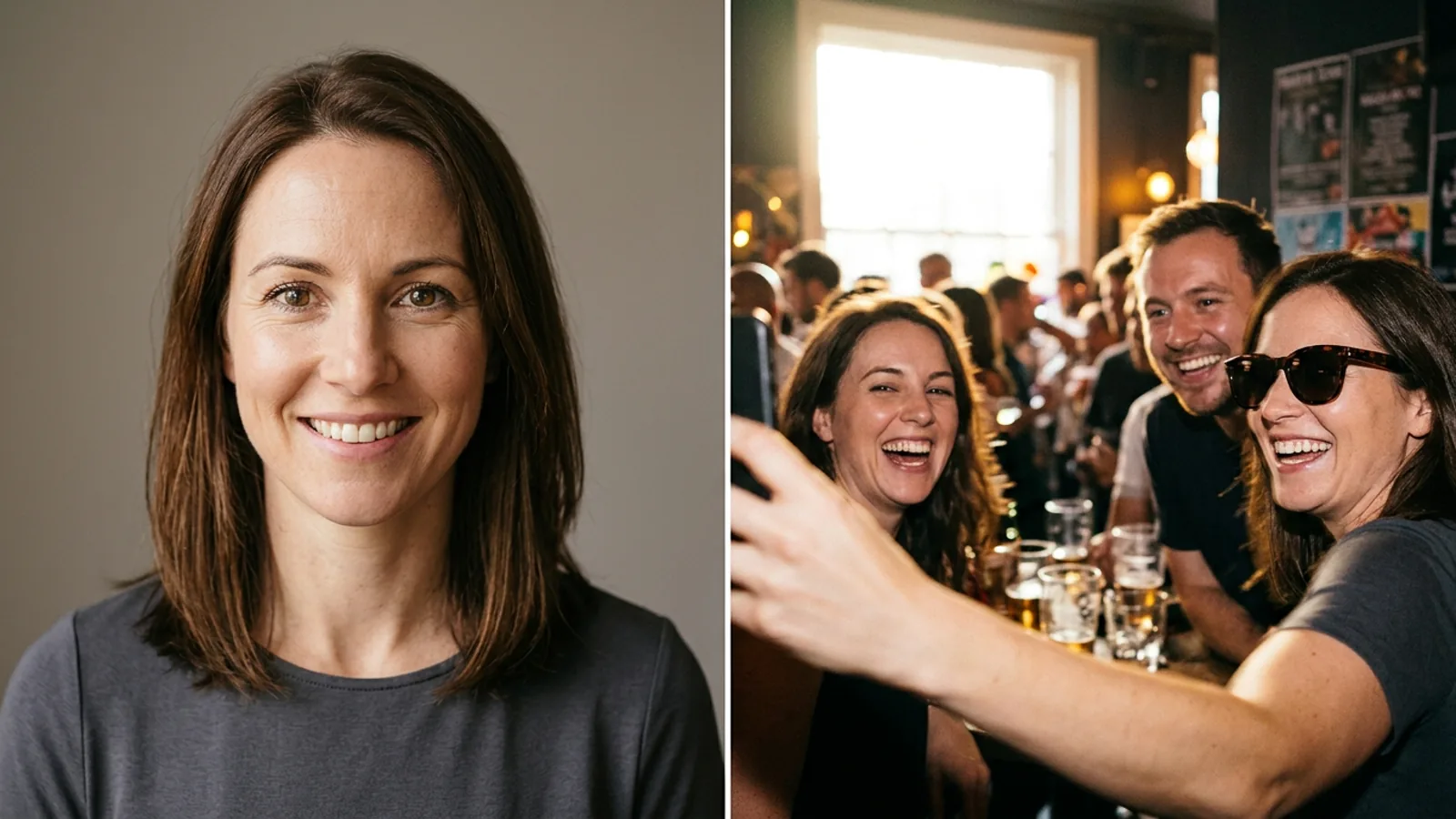
Before you blame the generator, ask three questions:
- Does the set show both sides of my face? If every photo is from the same side, the model guessed the other half.
- Is every photo from the same version of me? If the set spans a beard, a new haircut or a different weight, the model averaged them.
- Would a friend recognise me in the input photos without context? If not, the output has no chance.
If any answer is no, fix the set before regenerating. For a deeper likeness test on the finished image, see LinkedIn AI headshot authenticity. That guide covers the giveaways, identity check and publication checklist; this guide stays on the input side.
#Fixing a bad result: diagnose before you regenerate
When a headshot comes out wrong, the instinct is to press generate again. That usually produces a different wrong result. Diagnose the cause first.
| Symptom | Likely cause | What to do |
|---|---|---|
| Looks like a different person | Too few angles, old photos, filters or a face too small | Reshoot the 5 × 3 set with current, sharp photos |
| Looks older or younger | Old photos mixed with recent ones, or heavy retouching | Use only recent, raw photos |
| Plastic or poreless skin | Beauty filter or already-smoothed input | Replace filtered photos with natural ones |
| Ears, hair or chin cropped | Framing too tight in the source photos | Leave headroom and shoulders in the frame |
| Glasses warp or glare | Reflections or a frame crossing the eye | Reject the frame; shoot with softer light |
| Hairstyle changes between outputs | Inconsistent hair length or styling | Use photos from one period and one style |
| Stiff or frozen expression | Only one expression in the set | Add neutral, micro-smile and genuine smile |
| Halo or messy edge around hair | Busy or backlit background | Use a clean background with separation |
Use this rule:
- If the face is wrong, reshoot. No prompt or style change will fix missing identity evidence.
- If the styling is wrong, regenerate. The input set is fine; the outfit, background or mode needs a different choice.
- If the skin is plastic, fix the input. The model learned the smoothed version. Replacing the filtered photos is the only reliable cure.
Do not fix a weak input with a filter, mix old and new photos, or judge the result at thumbnail size. Change one variable at a time.
#Photo sets by use case: LinkedIn, dating, portfolio, mixed
The same 15 photos can serve several purposes, but the balance changes. Think of the input set as the base; the tool's mode and style choices shape the output.
| Use case | Expression mix | Wardrobe | Background | Final guide |
|---|---|---|---|---|
| LinkedIn / resume | 10 neutral, 3 micro-smile, 2 smile | Shirt, blouse, smart knit; solid colours | Clean wall, office, soft outdoor | LinkedIn authenticity, resume photos |
| Dating apps | 5 neutral, 5 micro-smile, 5 smile | Smart casual, something you actually wear | Social but uncluttered; outdoor shade | Dating app photo guide |
| Portfolio / creative | 5 neutral, 5 micro-smile, 5 smile | Creative but intentional; simple textures | Studio wall, textured outdoor, workspace | Headshot guide by profession |
| Mixed | 5 neutral, 5 micro-smile, 5 smile | Versatile smart casual | Three clean settings | This guide + platform guides |
LinkedIn rewards recognition and approachability more than glamour, so keep the wardrobe simple and the background quiet; for formal resume conventions, check the resume photo guide before cropping. Dating photos need warmth, so favour a genuine smile and a relaxed shoulder line without turning the set into a corporate shoot. Creative fields can handle more texture and location variety, but the face remains the anchor. If you want one set for several platforms, shoot the balanced 5 × 3 set in versatile clothing; Nothron's mixed mode handles the output directions.
#Privacy and consent before you upload
Input photos are personal data. Before you upload a set to any provider, spend two minutes on the policy.
What to check: retention (how long originals and outputs are kept), training (are your photos used to train models, and can you opt out?), processors (does the provider use third parties?), rights (what licence do you grant?) and deletion (how do you request it, and what happens to backups?).
Policies change. Read the current version rather than relying on a review or a summary. For Nothron, the privacy policy is the authoritative source.
Only upload yourself. Do not upload a friend's, partner's or colleague's face without consent. Group photos are a bad idea for both technical and ethical reasons: the upload check may reject them, and the other people in the frame did not agree to be part of your AI model. If you must crop yourself out of a group photo, make sure the crop is clean and you have permission to use the image.
This is not legal advice. If you are uploading on behalf of a company or a team, check your organisation's data policy as well.
#How Nothron uses your 10–15 photos
Nothron's headshot workflow is built around the idea that better evidence produces a better result.
- Choose a mode: dating, LinkedIn, professional portfolio or mixed.
- Add the basic details the model uses for framing and styling.
- Upload 10–15 JPG or PNG photos. The upload step checks each file in the browser.
- Review the set and start generation. Training typically takes around 30 minutes; you can close the page and come back.
- Choose a package: 25, 50 or 100 headshots.
- Review the outputs with the identity and texture checks in this guide.
Nothron's upload validation rejects several common problems before they waste a generation, including no face detected, more than one face in the frame, and a face that is too small relative to the image. That is why a wide group photo or a full-body shot from across the room fails. It is also why the 5 × 3 contact sheet works: every frame is close enough for the face to be the subject, but varied enough to cover the angles.
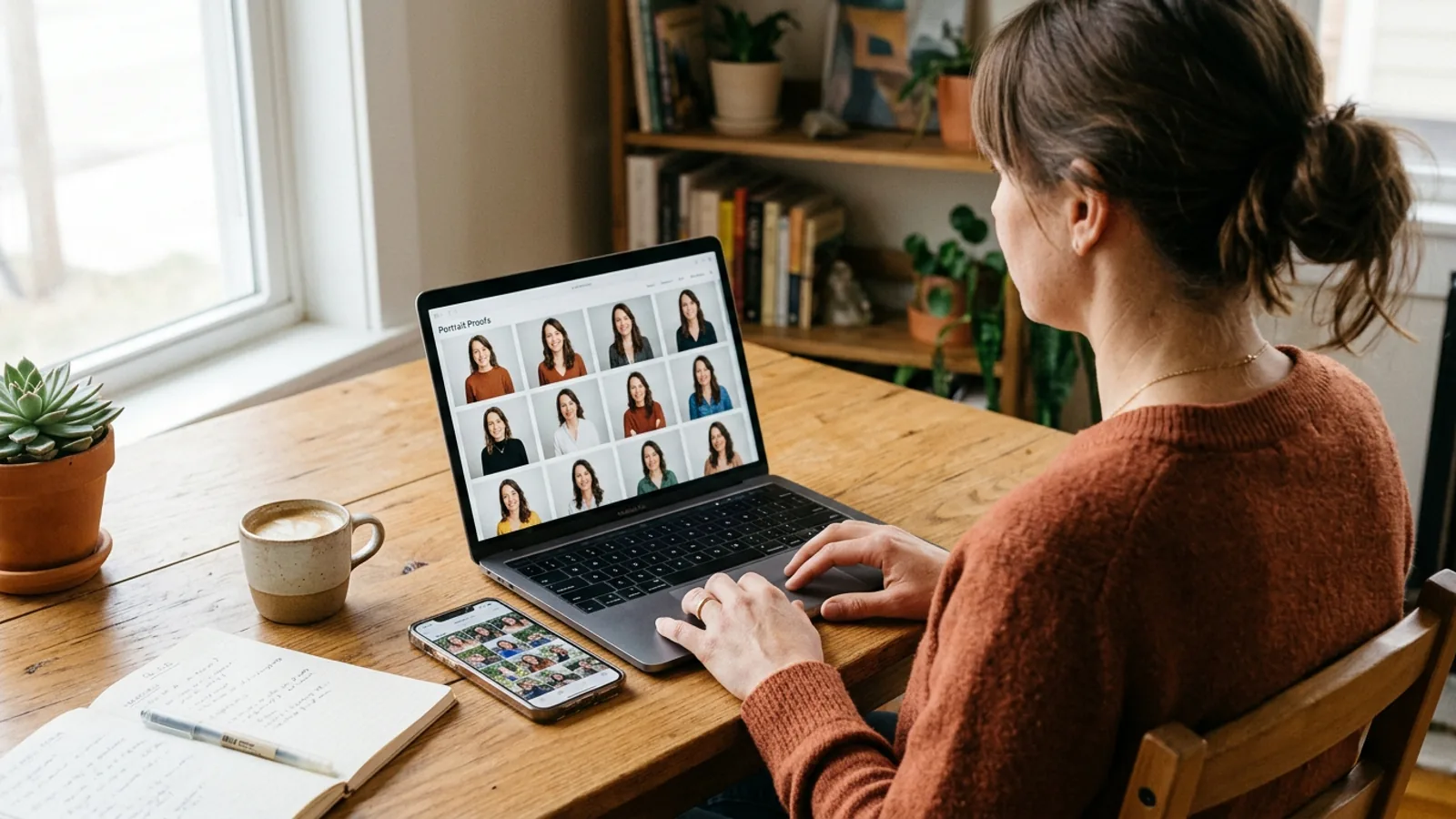
The right package depends on how many usable directions you need, not how many files you want to store. At the time of writing, Nothron's packages are:
| Package | Headshots | Credits |
|---|---|---|
| Starter | 25 | 75 |
| Professional | 50 | 110 |
| Studio | 100 | 260 |
Check the current pricing page before you buy; credit costs can change. Choose 25 for a single profile, 50 for several platforms, or 100 for a larger library.
Nothron is designed to preserve your identity, but it does not guarantee that every output will look exactly like you. It generates from the evidence you provide. A weak set produces weak evidence; a strong set gives the model a much better chance. The goal is not a perfect synthetic face. It is a natural portrait that still reads as you on a good day.
For the technical side, see how the architecture works and the headshot generator advantages.
#Frequently asked questions
#How many photos do I need for an AI headshot generator?
Nothron asks for 10–15 photos. Other tools publish different ranges: HeadshotPro's 2026 model says 1–3 selfies, BetterPic suggests 8–12, and Aragon describes "a few" photos. The number is not the goal; coverage is. Aim for five angles and three expressions, which produces 15 useful frames.
#Can I use selfies for AI headshots?
Yes, if they are sharp, solo, unfiltered and current. A modern phone at eye level in soft window light is enough. Avoid 0.5x close-ups, beauty mode, screenshots and photos where your face is partly covered. A selfie is a source photo, not a final headshot; the AI will build the professional framing later.
#What if I wear glasses?
If you wear glasses every day, keep them on for most of the set so the AI learns that part of your face. Watch for glare and reflections; tilt your head slightly or move away from the light source. If you sometimes go without glasses, include one or two frames without them, but do not mix the two looks randomly.
#Can I upload group photos?
No. Group photos introduce other faces and reduce the size of yours in the frame. Nothron's upload check rejects images with multiple faces or a face that is too small. Use a solo photo; if you must crop yourself out of a group shot, make sure the crop is clean, high-resolution and does not cut off your hair, ears or chin.
#Should I use filtered or retouched photos?
No. Beauty filters and heavy retouching remove skin texture and change facial geometry, which are exactly the signals the model needs. Use raw camera files with natural skin. If a photo has already been smoothed, brightened or reshaped, leave it out of the set.
#Why don't my AI headshots look like me?
The usual causes are too few angles, near-duplicate photos, old images mixed with current ones, filters, or a face that is too small in the frame. Fix the input set before regenerating. If the face is wrong, reshoot; if only the styling is wrong, generate again with the same set.
#Can I use old photos?
Use photos from the last few months where possible. A set that mixes ages, hairstyles or facial hair teaches the model an average of several people. If you have changed your look recently, shoot a new set rather than padding it with old favourites.
#What file format and size should I use?
Use high-resolution JPG or PNG originals. Avoid screenshots, messaging-app copies and social-media downloads, which are compressed and soften the details around the eyes, hair and skin. Nothron accepts JPG and PNG files; check the current upload screen for the exact limits before you start.
#Is it safe to upload my photos?
Check the provider's current privacy policy before uploading: how long files are kept, whether they are used for training, who processes them and what rights you keep. Upload only your own face, not a friend's or a family member's. Nothron's privacy policy is the authoritative source for how Nothron handles uploads.
#Conclusion: your next 20 minutes
A good AI headshot is not the result of a magic prompt. It is the result of a clear, varied, honest set of source photos. The model can only build what it can see.
Here is the whole process in five lines:
- Find soft window light and turn off overhead lights.
- Shoot five angles: front, 15° left, 15° right, 35° left, 35° right.
- Use three expressions: neutral, micro-smile, genuine smile.
- Keep 15 frames that are sharp, current and free of filters.
- Upload the set and judge the output by likeness, not polish.
If you can point to five angles and three expressions, you have done the part most people skip. The rest is selection.
You can put the checklist to work with Nothron Neural Headshot Generator. Start with your 10–15 photos, choose the mode that fits your goal, and compare the outputs side by side with three real photos of yourself. If the face is right, the styling is easy. If the face is wrong, no amount of polish will fix it.
👉 Create your AI headshots from 10–15 photos
#Related guides
- LinkedIn AI Headshot Authenticity: The 7-Point Check
- Professional Headshot Guide by Profession 2026
- Professional Resume Photo Guide 2026
- Dating App Photo Guide 2026
- Nothron AI Headshot Architecture
- Nothron Neural Headshot Generator Advantages
Note: Tool guidance and policies reflect publicly available information as of 23 October 2026. Requirements can change; check the current upload screen and privacy policy before you generate.
Nothron Team
The Nothron team turns experience in AI, computer vision and professional photography into a photo studio that anyone can use.