
The Ultimate Professional Headshot Guide by Profession (2026): Real Estate, Law, Medicine, Acting, Teaching & More
How should your headshot look for your profession? A complete 2026 guide covering real estate agents, lawyers, doctors, executives, actors, teachers, freelancers, and sales professionals — with what to wear, backgrounds, expressions, poses, platform specs, and how to create a studio-quality headshot with AI in seconds.
ON THIS PAGE
In 2026, your headshot is often the very first thing people see — before your résumé, your portfolio, your website copy, or your handshake. Recruiters scan profile photos in under a second, clients decide whether to trust you based on a thumbnail, and casting directors filter hundreds of faces by a single image. Yet most people use the same generic "professional headshot" advice regardless of their profession, even though a real estate agent, a surgeon, an attorney, and an actor should look decidedly different.
According to LinkedIn data, profiles with a professional photo receive up to 21 times more views and 9 times more connection requests. Forbes and Pew Research Center studies consistently show that trust and engagement are heavily influenced by the quality of a profile image. The catch: "quality" is not one-size-fits-all. Each profession signals credibility through different visual cues.
This guide breaks down exactly what a great headshot looks like for nine of the most common professional categories — with attire, backgrounds, expressions, poses, platform specs, and the mistakes to avoid. And because professional photography can cost anywhere from $150 to over $1,000, we also show how an AI headshot generator can produce a studio-quality, profession-appropriate headshot in seconds.
#Why Headshots Differ by Profession
A headshot is not a portrait — it is a visual handshake. It answers a single question in the viewer's mind: "Can I trust this person to do what they say they do?" The answer depends entirely on context.
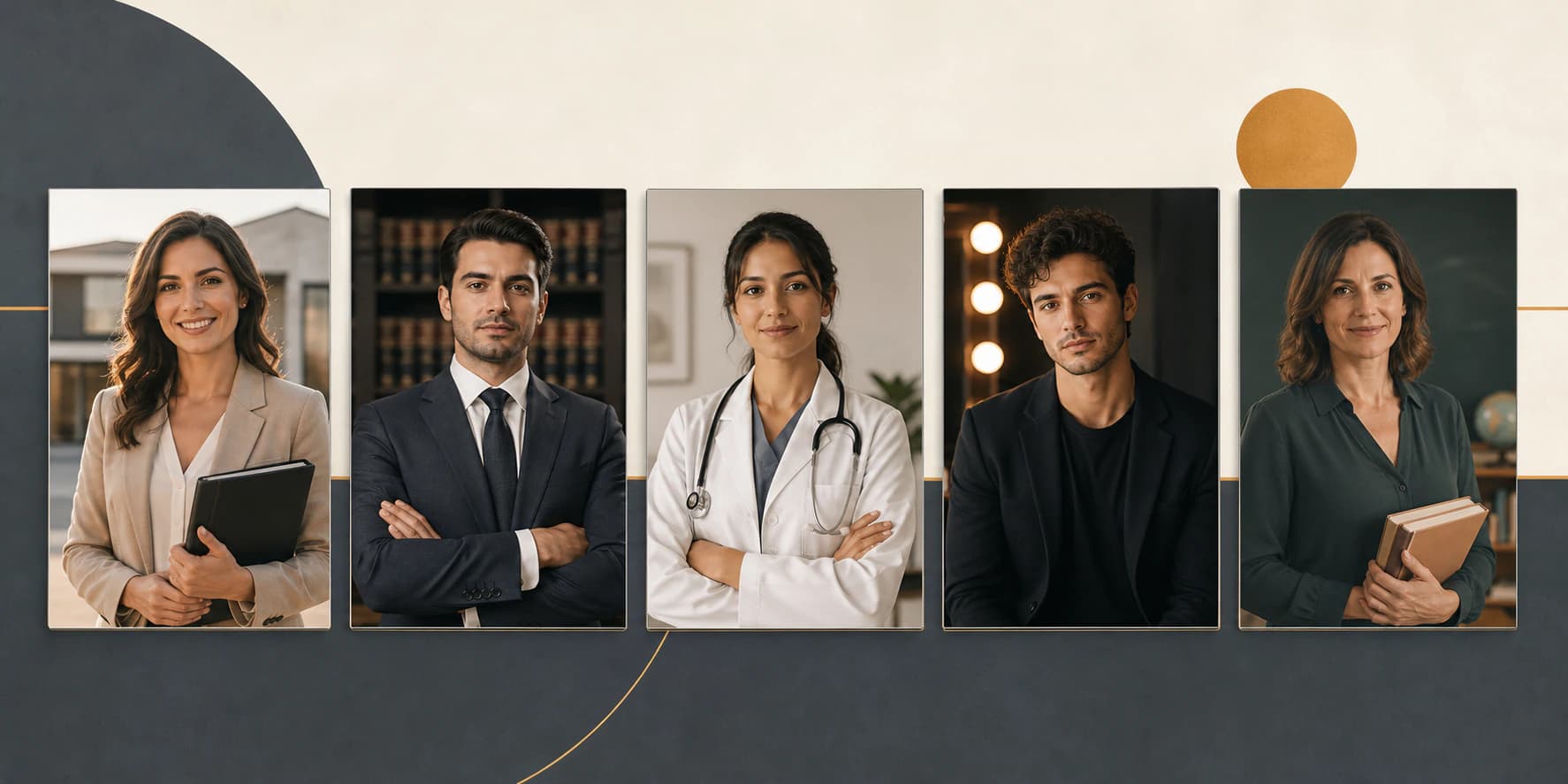
- A real estate agent must look warm and approachable, because they are asking strangers to trust them with the largest purchase of their lives.
- A lawyer must project authority, composure, and precision.
- A doctor must radiate calm competence and care — patients are reading for safety, not style.
- An actor must look like their real, un-retouched self on an ordinary day, because the headshot is a working tool, not a branding piece.
- A corporate executive must signal competence, leadership, and approachability all at once.
The lighting, background, attire, expression, and crop that work for one of these can actively hurt another. This is why copying a generic template — or reusing the same photo across every context — undermines the very credibility the headshot is meant to build.
#The Universal Rules of a Great Professional Headshot
Regardless of profession, a few fundamentals separate a professional headshot from an amateur one.
#1. Lighting
Soft, even light is non-negotiable. Great headshots use soft, directional light that flatters the face and creates gentle dimension without harsh shadows. Outdoors, this means open shade or golden hour; indoors, it means a window or a diffused source, never a bare overhead light.
#2. Background
Keep it clean and uncluttered. The background should contrast with your hair and clothing so your face stands out. Neutral grays, off-whites, soft blues, and subtle gradients are the safest choices; busy offices, bookshelves, and textured walls distract.
#3. Attire
Wear something that reads clearly at thumbnail size. Solid colors in muted or jewel tones photograph best. Avoid fine stripes, loud patterns, logos, and anything that competes with your face. Fit matters more than brand.
#4. Expression
A genuine, relaxed expression beats a forced grin or a stern stare. Think of something that makes you smile naturally just before the shot. Eyes should be engaged — "smiling with the eyes" reads as trustworthy at any size.
#5. Framing and Crop
Headshots are shot from the chest up, with the face large in the frame and the eyes roughly one-third from the top. Leave a little breathing room above the head, but not so much that the face shrinks in a small profile circle.
#6. Sharpness
The image must be crisp, especially around the eyes. Blur, noise, and low resolution instantly read as unprofessional — which is exactly what AI enhancement tools like the Nothron Neural Engine are designed to fix.
Now let's look at how each profession applies these rules — and where they diverge.
#Real Estate Agents and Brokers
Goal: Approachable, trustworthy, and local. Clients are choosing a person, not just a property.
#What to Wear
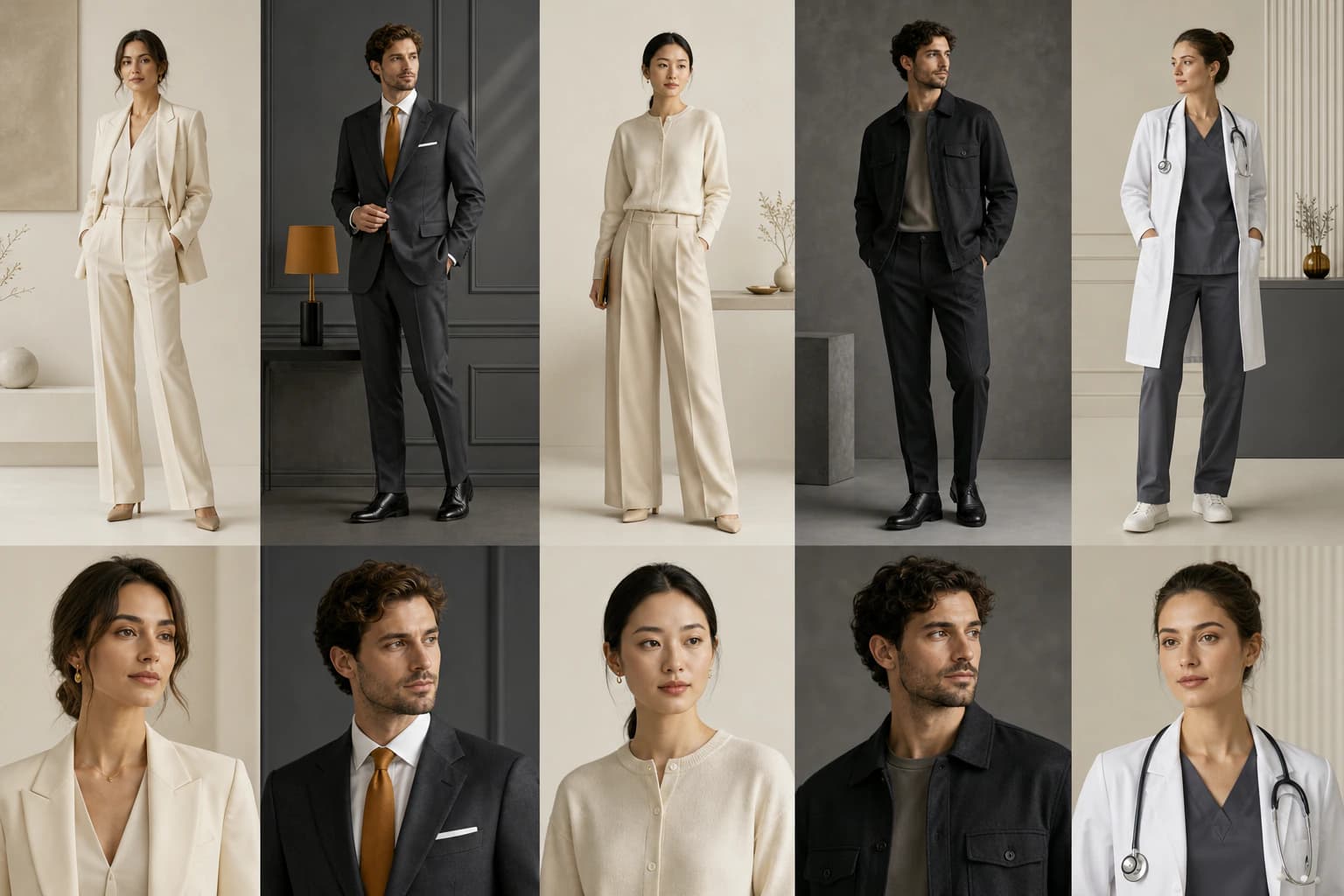
Smart-casual business attire works best: a blazer over an open-collar shirt, or a crisp button-down without a tie. A full formal suit can feel distant in a service role. Stick to solid navy, charcoal, or warm neutral tones.
#Background
Real estate is one of the few professions where a lifestyle background helps — a tastefully blurred modern interior, a bright outdoor setting, or a clean neutral. Avoid literal property photos with logos or signage, which can date quickly and look promotional.
#Expression and Pose
Warm, open, and confident. A natural smile is essential. Slight three-quarter turn with the body angled and the face toward the camera reads as both friendly and professional.
#Platform and Format
- Yard signs and print: high-resolution square or portrait crop, face large
- Website and Zillow/Rightmove-style listings: consistent across the team, 1:1 crop
- LinkedIn and business cards: tight head-and-shoulders crop
#Common Mistakes
- Looking stiff or overly corporate in a role built on relationships
- Using a family or casual vacation photo
- Backgrounds with distracting listing details or text
#Lawyers and Attorneys
Goal: Authority, composure, precision, and trust. A legal headshot should feel like it belongs on a letterhead.
#What to Wear
Conservative and formal. A dark suit with a collared shirt is the standard; a tie is appropriate for most practice areas. Muted, dark, or neutral colors. Avoid trendy cuts and loud patterns — restraint signals rigor.
#Background
Neutral and serious. Light gray, charcoal, deep blue, or a subtle gradient. A softly blurred library or office is acceptable for some practices (e.g., family law where warmth matters), but a clean neutral background is always safe.
#Expression and Pose
Calm, composed, and confident. A subtle closed-mouth smile or a neutral-but-engaged expression works best. Direct eye contact and a squared, upright posture convey reliability.
#Platform and Format
- Firm website attorney bios: consistent 1:1 or 4:5 crop with matching backgrounds across all attorneys
- LinkedIn and professional directories: tight, formal crop
- Print and court materials: high-resolution with clean background
#Common Mistakes
- Overly casual or smiling too broadly for the practice area
- Inconsistent backgrounds across a firm's team page
- Heavy retouching that makes the image look artificial
#Doctors and Medical Professionals
Goal: Calm competence and genuine care. Patients scan medical profiles for reassurance and safety.
#What to Wear
Clean and professional. A white coat or scrubs immediately signals the medical role; underneath, a collared shirt or professional top in solid color. Keep it tidy and avoid busy prints.
#Background
Clean, bright, and clinical without feeling cold. Soft white, light gray, or soft blue. A well-lit, uncluttered clinical environment works if it stays out of the way.
#Expression and Pose
Warm but composed. A gentle, genuine smile communicates care without undermining authority. Straight posture, shoulders relaxed, face square to the camera.
#Platform and Format
- Hospital and clinic profiles: consistent formatting across departments
- Health platforms and directories: 1:1 square, high resolution
- LinkedIn: formal head-and-shoulders crop
#Common Mistakes
- A tired or rushed photo taken between shifts (poor lighting, harsh shadows)
- Overly clinical backgrounds that feel impersonal
- Inconsistent style between team members on the same clinic page
#Corporate Executives and Consultants
Goal: Leadership, competence, and approachability. This is the classic "corporate headshot" — polished but human.
#What to Wear
A tailored suit or blazer with a collared shirt, in navy, charcoal, or a modern solid tone. Executives can add subtle character (a pocket square, a fine-knit layer) as long as it stays clean at thumbnail size.
#Background
Neutral, modern, and consistent. Soft gray, off-white, or a subtle gradient. Many consultancies place all partners against the same background for brand cohesion.
#Expression and Pose
Confident, relaxed, and direct. A slight smile reads as both capable and approachable. A three-quarter turn with a squared jawline is a classic executive pose.
#Platform and Format
- Company leadership pages: uniform crop, background, and lighting across all executives
- LinkedIn and speaking bios: 1:1 tight crop
- Press kits and conference materials: high-resolution portrait and square variants
#Common Mistakes
- A serious, unapproachable scowl
- Inconsistent team headshots that make the page look unmanaged
- Low-resolution photos that fall apart when scaled up for press
#Actors and Performers
Goal: Casting directors need to see you, accurately and currently. An acting headshot is a working tool, not a marketing portrait.
#What to Wear
Simple and neutral — a solid top that does not distract from your face. Avoid strong patterns and colors that fight your skin tone. The clothing should not compete with your eyes or expression.
#Background
Simple and unobtrusive. Neutral tones or a softly blurred setting. Many actors shoot both a studio version (clean neutral) and a location version (contextual, natural).
#Expression and Pose
This is where acting headshots differ most. Include:
- Theatrical: more dramatic, serious, or intense, for film/TV and theatre
- Commercial: warm, bright, approachable, for advertising
The expression must be authentically you, with the eyes as the focal point.
#Platform and Format
- Casting platforms (e.g., Actors Access, Spotlight-style): high-resolution, current
- Portfolio and agency sites: 3:4 or 4:5 portrait crop
- Social and reels: square crop
#Common Mistakes
- Heavy retouching — casting directors need to recognize you in person
- Using outdated photos that no longer look like you
- Only one expression with no theatrical/commercial range
#Teachers and Educators
Goal: Warm, credible, and professional. Students and parents read for trustworthiness and approachability.
#What to Wear
Smart-casual and neat. A collared shirt, blouse, or subtle blazer works well. Solid colors and gentle tones photograph best; avoid very casual clothing (graphic tees) and overly formal business wear that can feel cold in an educational setting.
#Background
Clean and neutral, or a softly blurred classroom/library setting. Light gray, soft blue, or warm neutral backgrounds feel welcoming.
#Expression and Pose
Warm and encouraging. A genuine smile is essential here — education is a relationship-based field.
#Platform and Format
- School and university directories: consistent crop and background across faculty
- LinkedIn: standard tight crop
- Classroom and course platforms: square crop with a friendly expression
#Common Mistakes
- Overly formal photos that feel distant
- Distracting or cluttered classroom backgrounds
- Poor lighting from a quick selfie
#Freelancers and Creative Professionals
Goal: Personality, professionalism, and differentiation. This is your brand, so a little character is an asset.
#What to Wear
Depends on your field. Designers, writers, and marketers can be more relaxed — a quality knit, a textured layer, or smart-casual. Technical and consulting freelancers should lean more formal. The key is intentional, not sloppy.
#Background
This is the profession with the most freedom. A muted studio neutral keeps it safe; a tastefully blurred workspace, cityscape, or creative environment can reinforce your field.
#Expression and Pose
Authentic and distinctive. Freelancers benefit from a photo that conveys personality — an easy smile, relaxed shoulders, a pose that feels natural rather than rigid.
#Platform and Format
- Portfolio and personal site: larger crop for hero sections, plus a square avatar
- Upwork, Fiverr, and marketplaces: clean square crop with high contrast
- LinkedIn and social: consistent across platforms
#Common Mistakes
- Blending in with a generic corporate photo when differentiation matters
- An overly casual or low-quality photo that undermines pricing expectations
- Inconsistent images across platforms
#Sales, Finance, and Banking
Goal: Trust, reliability, and polish. These roles are built on credibility and attention to detail.
#What to Wear
Formal and conservative. A dark suit with a collared shirt is standard; ties are common in finance and banking. Solid, muted colors signal stability.
#Background
Neutral and polished. Light gray, charcoal, or deep blue. A softly blurred modern office is acceptable in wealth management and advisory roles.
#Expression and Pose
Confident, trustworthy, and slightly formal. A composed expression with a subtle smile balances approachability with seriousness. Upright posture.
#Platform and Format
- Institution websites and advisor pages: uniform crop and background across all advisors
- LinkedIn and directories: tight formal crop
- Print and client materials: high-resolution with clean background
#Common Mistakes
- Casual or inconsistent photos on a page built on trust
- Harsh lighting or shadows that read as low-effort
- Outdated photos that no longer match the person meeting the client
#Students and New Graduates
Goal: Professional potential with approachability. You are signaling readiness for the professional world.
#What to Wear
Smart business-casual. A clean button-down, blouse, or a simple blazer is ideal for internship and graduate applications. Solid, friendly colors work well.
#Background
Simple and neutral, or a softly blurred campus setting. Avoid busy or casual backgrounds that undercut a professional impression.
#Expression and Pose
Confident and friendly. A natural smile signals both potential and approachability — exactly what employers and recruiters want to see.
#Platform and Format
- LinkedIn and job platforms: 1:1 square, high resolution
- University career portals: consistent crop
- Personal site or portfolio: square avatar plus a larger crop
#Common Mistakes
- Using a filtered or heavily styled social media photo
- Poor lighting from a phone selfie
- A background that reveals a casual setting
#Profession Comparison Table
| Profession | Attire | Best Background | Expression | Key Pitfall |
|---|---|---|---|---|
| Real Estate Agent | Smart-casual blazer or open-collar shirt | Lifestyle (blurred interior) or neutral | Warm, open smile | Looking too stiff/corporate |
| Lawyer / Attorney | Dark suit, collared shirt, tie | Neutral: gray, charcoal, deep blue | Composed, subtle smile | Overly casual or over-retouched |
| Doctor / Medical | White coat or scrubs, collared top | Bright clinical white / light gray | Warm but composed | Tired, poorly lit photos |
| Corporate Executive | Tailored suit or blazer | Neutral / subtle gradient | Confident, approachable | Unapproachable scowl; inconsistent team shots |
| Actor / Performer | Simple solid neutral top | Simple neutral or blurred setting | Theatrical + commercial | Heavy retouching; outdated photo |
| Teacher / Educator | Smart-casual collared shirt or blazer | Neutral or blurred classroom | Warm, genuine smile | Distracting classroom clutter |
| Freelancer / Creative | Field-appropriate, smart-casual | Studio neutral or blurred workspace | Authentic, relaxed | Generic look; low quality |
| Sales / Finance | Dark suit, collared shirt | Neutral polished or blurred office | Confident, trustworthy | Casual photo on a trust-driven page |
| Student / Graduate | Business-casual button-down / blazer | Neutral or blurred campus | Confident, friendly | Filtered social photo; bad lighting |
#Professional Photography vs AI Headshots
For decades, the only route to a profession-appropriate headshot was a traditional session. In 2026, AI headshot generators have become a genuine, credible alternative — and often the more practical one.
#Traditional Professional Photography
- Cost: $150–$1,000+, plus retouching and prints
- Time: scheduling, travel, a 1–2 hour shoot, and days of waiting for edits
- Output: usually one look, one background, limited variations
- Best for: unique branding, complex corporate shoots, and clients who want a bespoke experience
#AI Headshot Generators (e.g., Nothron Neural Headshot Generator)
- Cost: a fraction of a session — your first Nothron headshot is free
- Time: results in seconds
- Output: multiple looks, outfits, backgrounds, and platform-optimized formats
- Best for: fast, affordable, profession-appropriate headshots you can refresh anytime
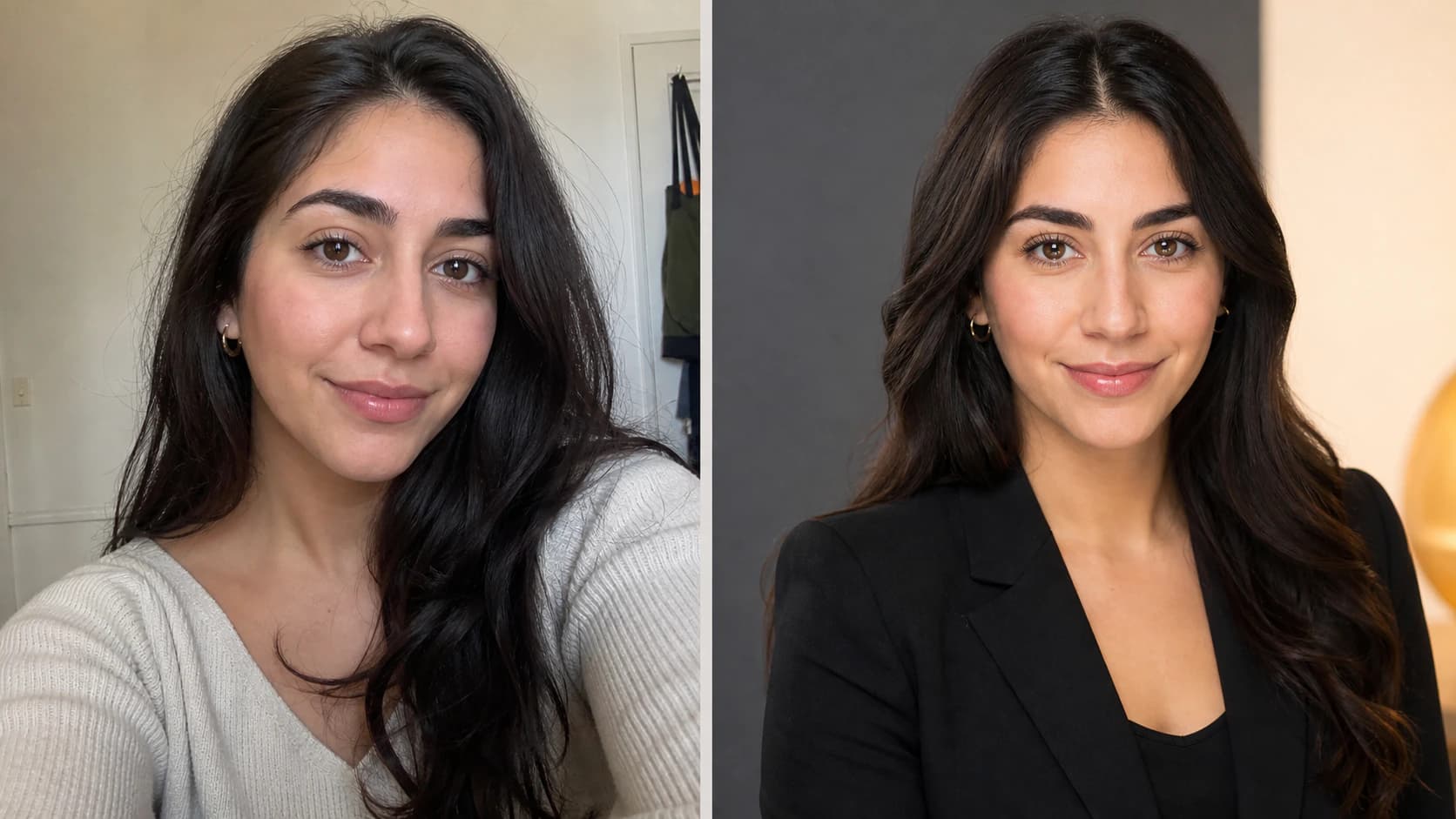
The Nothron Neural Headshot Generator is built specifically to preserve your real facial features, hair, and skin texture — so the result looks like an enhanced version of you, not a stranger. Combined with tools like Natural Glow for skin tone correction, it can produce results that hold up next to studio photography.
If you want a deeper comparison of the tools available, see our guide to the top 5 AI headshot generators of 2026.
#Platform Specs and Sizes
Getting the technical details right is as important as the expression.
| Platform | Recommended Size | Aspect Ratio | Notes |
|---|---|---|---|
| 1000x1000 px (min 400x400) | 1:1 square | Face should fill 60% of the frame | |
| Company Website | 1000x1000 px or larger | 1:1 or 4:5 | Keep consistent across the team |
| Résumé / CV | 600x600 px or larger | 1:1 square | Optional; check country conventions |
| Dating Apps | 1080x1080 px+ | 1:1 square | Natural, well-lit photos perform best |
| Casting Platforms | 2000 px+ on the long edge | 3:4 or 4:5 | Must look exactly like you, currently |
| Social Media | 1080x1080 px+ | 1:1 square | One consistent avatar across platforms |
A common mistake is uploading a large group photo and cropping it later, which leaves the face too small. Always start with a tight, well-lit head-and-shoulders image. If you need to adjust dimensions, the Free Online Image Cropper and Circle Cropper can help — and the Nothron Neural Engine can upscale and sharpen older photos before you crop.
#Common Headshot Mistakes by Profession
While each profession has its own nuances, the most damaging mistakes cut across all of them:
- Using an outdated photo — update every 2–3 years, or after any major change
- Over-retouching — especially fatal for actors; flattering for everyone else only when subtle
- Poor lighting — harsh shadows or flat, dark images read as low effort
- Distracting backgrounds — clutter competes with your face
- Face too small in the frame — the profile circle shrinks it further
- Wrong level of formality — a casual photo in a trust role, or a formal one in a creative role
- Inconsistency across a team — mismatched headshots make a company page look unmanaged
- Low resolution — a photo that falls apart when scaled for press or print
Avoiding these eight issues puts you ahead of the majority of professionals in any field.
#Frequently Asked Questions
#What should I wear for a professional headshot?
Solid colors in muted or jewel tones photograph best. Avoid busy patterns, thin stripes, and logos. A well-fitted blazer or collared shirt in navy, charcoal, or a muted tone that contrasts with your skin and hair is the safest choice. Formality should follow your profession — doctors and lawyers lean conservative, creatives can relax.
#What is the best background color for a headshot?
Neutral backgrounds — light gray, off-white, soft blue, or a subtle gradient — are safest for corporate, legal, and medical headshots because they keep focus on the face. Warm or lifestyle backgrounds suit real estate and creative roles. Avoid clashing, overly bright, or heavily textured backgrounds.
#How many types of headshots do I need?
Most professionals benefit from at least two: a tight, formal version for LinkedIn and formal use, and a slightly looser, approachable version for websites, email signatures, and social media. An AI headshot generator lets you produce both — plus multiple outfits and backgrounds — in one session.
#Can I use an AI headshot for LinkedIn?
Yes. LinkedIn does not prohibit AI-generated profile photos. What matters is that the headshot genuinely looks like you and is not misleading. Nothron preserves your real facial features, hair, and skin texture, so the result is an enhanced version of you rather than a different person.
#How much does a professional headshot cost in 2026?
A traditional session typically ranges from $150 to $1,000 or more depending on city and photographer, plus scheduling and retouching time. An AI headshot generator costs a fraction of that and delivers results in seconds — the first Nothron headshot is free.
#What size should a professional headshot be?
For LinkedIn, upload at 400x400 px or larger (ideally 1000x1000) with a 1:1 square crop. For websites and print, use at least 1000x1000 px. Keep the face large in the frame — too much empty space is a common mistake.
#How do I take a good professional headshot at home?
Face a window for soft, even daylight, stand one to two meters from a plain wall, keep the camera at eye level, and shoot from the chest up. Wear a solid color, relax your shoulders, and smile naturally. Or upload a clear existing photo to an AI headshot generator for a studio-quality result with no setup.
#Do actors need a different headshot than other professionals?
Yes. Acting headshots must look like you on an ordinary, current day and should not be over-retouched, because casting directors compare them to your real appearance. They emphasize the eyes and often include both theatrical (dramatic) and commercial (warm, approachable) versions.
#How often should I update my professional headshot?
Every two to three years, and immediately after major changes such as a new hairstyle, significant weight change, beard, or glasses. An outdated headshot can feel dishonest in interviews, networking, and dating contexts.
#Which platform optimizations matter most?
LinkedIn favors a 1:1 square with a clean, high-contrast background. Company websites often use a consistent aspect ratio and background across the team. Dating apps prefer natural, well-lit photos. Nothron Neural Headshot Generator can produce platform-optimized headshots so you never have to crop or resize manually.
#Conclusion
There is no single "correct" professional headshot — there is only the right headshot for your profession and the platform it appears on. A real estate agent should look warm and local, a lawyer composed and authoritative, a doctor calm and caring, and an actor unmistakably themselves. Nail the universal fundamentals — soft lighting, a clean background, solid attire, a genuine expression, and a tight crop — and then tune them to your field.
In 2026, cost and logistics are no longer obstacles. Whether you book a photographer or generate a headshot with AI in seconds, the goal is the same: an image that makes people trust you before they have read a single word about you.
Create a profession-appropriate headshot with the Nothron Neural Headshot Generator — your first headshot is completely free.
#Explore Other Nothron Tools
Nothron is not just a headshot generator — it's a comprehensive AI photo studio. Here are our other powerful tools:
#AI Tools
- Nothron Neural Engine — Upgrade your photos to 4K quality, remove noise, and fix blur
- Nothron Natural Glow — Naturally improve your skin tone and gain a healthy glow
- Nothron Legacy Touch — Restore old and damaged photos with AI
#Photo Editing Tools
- Photo Editor — Professional photo editing tools (filters, text, effects)
- Free Online Image Cropper — Precisely crop your photos
- Free Online Circle Cropper — Perfect circular cropping for profile photos
- Free Online Photo Resize Tool — Resize your photos to any dimension
- Free Online Photo Filter Tool — Add professional filters to your photos
#Dashboard Tools
- Nothron Neural Headshot Generator — Create professional headshots with AI
- Dashboard Neural Engine — Advanced AI photo enhancement
- Dashboard Natural Glow — AI-powered skin tone enhancement
- Dashboard Legacy Touch — AI old photo restoration
#Other Blog Posts
- Top 5 AI Headshot Generators of 2026 — Comprehensive comparison and guide
- AI Headshot Generator Advantages 2026 — The unique advantages of Nothron Neural Headshot Generator
- Nothron Neural Headshot Generator AI Architecture — The AI technology behind the headshot generator
- LinkedIn Profile Photo Importance — The impact of professional photos on your career
- 2026's Best Photo Editor — Comprehensive and unbiased photo editor comparison
- Best Dating App Profile Pictures — Match-boosting methods for Tinder, Bumble, and Hinge
- Dating App Photo Guide 2026 — Comprehensive photo guide for dating apps
- Online Passport Photo Guide — Creating online passport photos in 2026
#Get Started Now
Create Your First Headshot Completely Free Now →
No credit card required. No registration needed. Just upload your photo and see the professional transformation with your own eyes in seconds.
On October 15, 2026, discover the best version of your professional identity.
#Author Biography
Nothron Team is a group of AI and photo editing experts dedicated to building the best AI headshot generator and photo editing platform. With years of experience in AI technology, computer vision, and professional photography, we built Nothron as a platform where anyone can create studio-quality portraits. Our mission is to make professional photo editing accessible to everyone through advanced AI technology.
Nothron Team
The Nothron team turns experience in AI, computer vision and professional photography into a photo studio that anyone can use.
Related articles
Should You Smile in Your Headshot? What the Research Actually Says (2026)
Oct 25, 2026 · 26 min read
Professional Headshot Cost in 2026: What You Really Pay in 7 Countries
Oct 24, 2026 · 22 min read
How to Take Photos for an AI Headshot Generator: The 10–15 Photo Checklist (2026)
Oct 23, 2026 · 27 min read