Dating App Photo Guide 2026: Bumble, Hinge, Tinder and Others - The Most Detailed and Ultimate Guide
Dating app photo guide 2026: How to create the best profile photos for Bumble, Hinge, Tinder, OkCupid, Hily, Badoo and all other dating apps? Get professional results with Nothron Neural Engine, Natural Glow, Legacy Touch and free photo editor.
ON THIS PAGE
In 2026, dating apps are no longer just an option but have become the main platform for modern relationships. Millions of potential matches are searching on Tinder, Bumble, Hinge, OkCupid, Hily, Badoo and dozens of other platforms. However, most people are unaware that profile photo is the most critical factor for success on these platforms.
According to Pew Research Center reports, 53% of Americans aged 18-29 use dating apps. This figure was only 10% in 2013. With increasing competition, the quality of your profile photo has become the most important factor determining your success.
In this comprehensive guide, we cover the best profile photo strategies for all dating apps, platform-specific photo requirements, and how to achieve professional results with Nothron Neural Engine, Nothron Natural Glow, Nothron Legacy Touch and free photo editor in the finest detail.
#Importance of Photos on Dating Apps
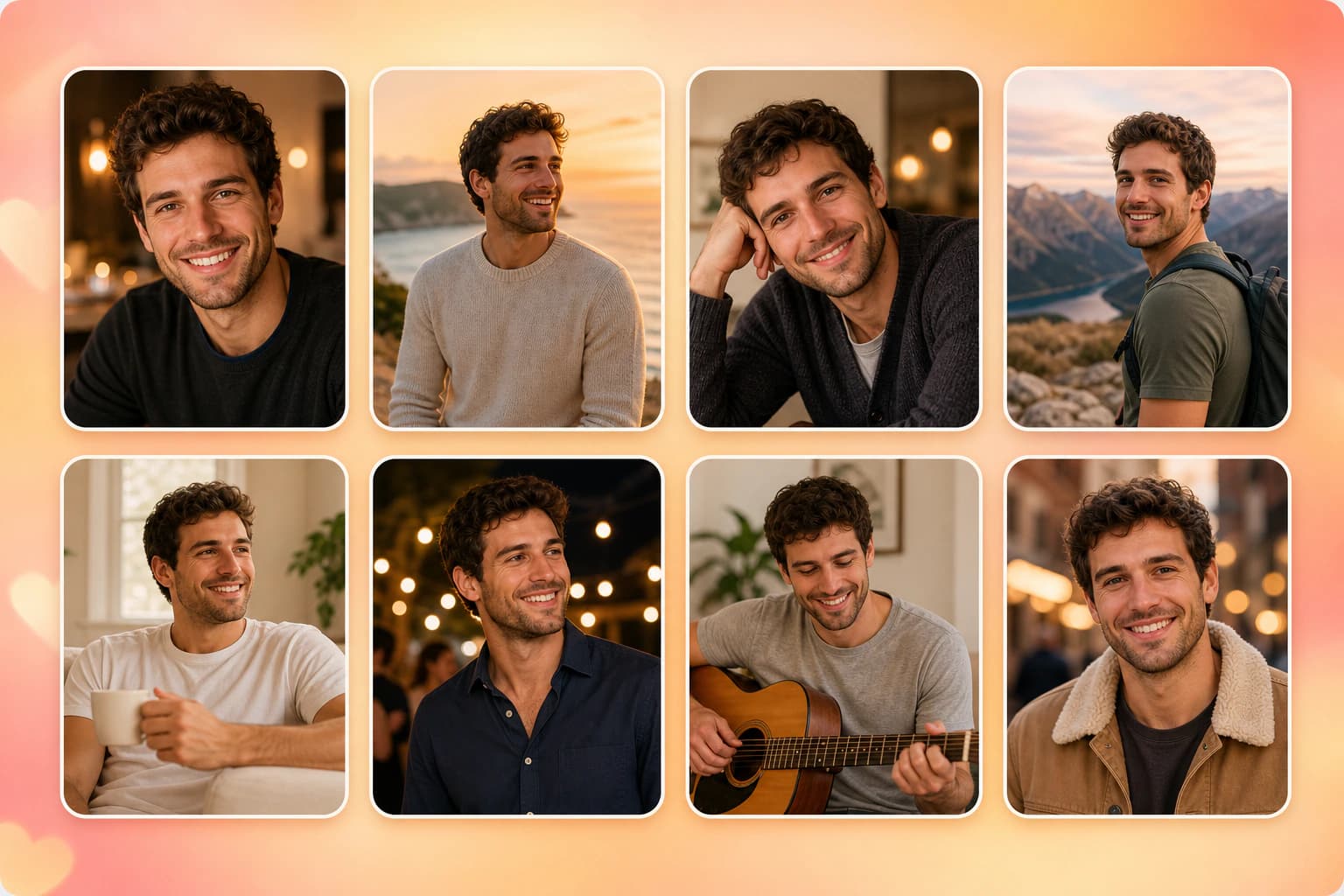
#First Impression and Decision Process
Research shows that users on dating apps evaluate a profile within an average of 0.5 seconds, and photo quality has a 70% impact during this time. According to a study published in Journal of Computer-Mediated Communication, photo quality determines profile perception by 85%.
Factors impressive in first impression:
- Face clarity: Eyes and mouth should be clearly visible
- Light quality: Natural light and good exposure
- Composition: Centered and focused position
- Color naturalness: Avoid excessive filters
- Resolution: No pixelation and blur
- Emotional expression: Sincere and natural expressions
- Body language: Open and relaxed posture
- Environment details: Naturalness of background
#ELO Score and Algorithm Effect
Tinder and similar platforms use ELO (Elo rating) score system. This score depends on factors like photo quality, engagement rates and profile completion rate. High ELO score:
- Shows your profile to more people
- Increases potential matches
- Gains algorithm's trust
Factors affecting ELO score:
- Photo quality and resolution: Detail density per pixel
- Right/left swipe rate: Overall user engagement
- Profile completion percentage: Percentage of all fields filled
- User activity: Daily app usage time
- Messaging initiation rate: Frequency of sending first message
- Reporting rate: Low negative feedback
- Verification status: Photo verification completion
#Trust and Intimacy Signals
Photo is the most important visual signal determining profile reliability. According to Psychology Today articles, natural and sincere-looking photos gain 45% more trust.
Trust signals:
- Natural expressions: Smile and sincere gaze
- Real environment: Real life, not studio
- Consistency: All photos should show the same person
- Time consistency: Photos should be taken recently
- Accessory minimization: Avoid face-hiding accessories
- Clothing consistency: Style and personality alignment
- Environment details: Naturalness of background
#Statistics and Data
- Photo quality: High quality photos get 35% more matches
- Smile: Smiling photos get 14% more right swipes
- Full face: Photos with full face visible get 27% more messages
- Natural light: Well-lit photos get 21% more engagement
- Variety: Different activity photos attract 18% more interest
#Platform-Based Photo Requirements
#General Standards
Common standards across all modern dating apps:
- Format: JPG, PNG (most platforms also support WEBP)
- Aspect ratio: 1:1 square format (some platforms also support 4:5 or 9:16)
- Maximum file size: Usually 5-10 MB
- Minimum resolution: At least 600 x 600 px
- Face visibility: Face should be 80% visible in main photo
- Adult content: 18+ requirement
#Tinder Detailed Analysis
#Tinder Photo Technical Requirements
Tinder, the world's most popular dating app, has specific photo requirements:
- Maximum photo count: 9
- Minimum resolution: 600 x 600 px
- Maximum resolution: 640 x 640 px (recommended)
- Formats: JPG, PNG
- Square requirement: Yes (1:1 ratio)
- File size: Maximum 5 MB
- Video support: Yes (maximum 15 seconds)
- Face verification: Mandatory in US as of 2026
#Tinder Photo Verification System
As of 2026, Tinder requires face recognition verification for new US users. Match Group plans to roll out this feature globally in 2026 (in legally permitted regions).
Verification process:
- Short selfie video submission
- Real-time face recognition
- Comparison with profile photo
- Verification badge acquisition
- Bot account prevention
#Tinder Algorithm Analysis
Tinder algorithm uses a complex factor-based system:
ELO Score Factors:
- Photo quality and resolution
- Right/left swipe rate
- Profile completion rate
- User activity
- Location-based popularity
- Premium membership status
Visibility Factors:
- Active user count
- Location-based match pool
- Age range preferences
- Gender ratio
- User behavior patterns
#Tinder Special Tips
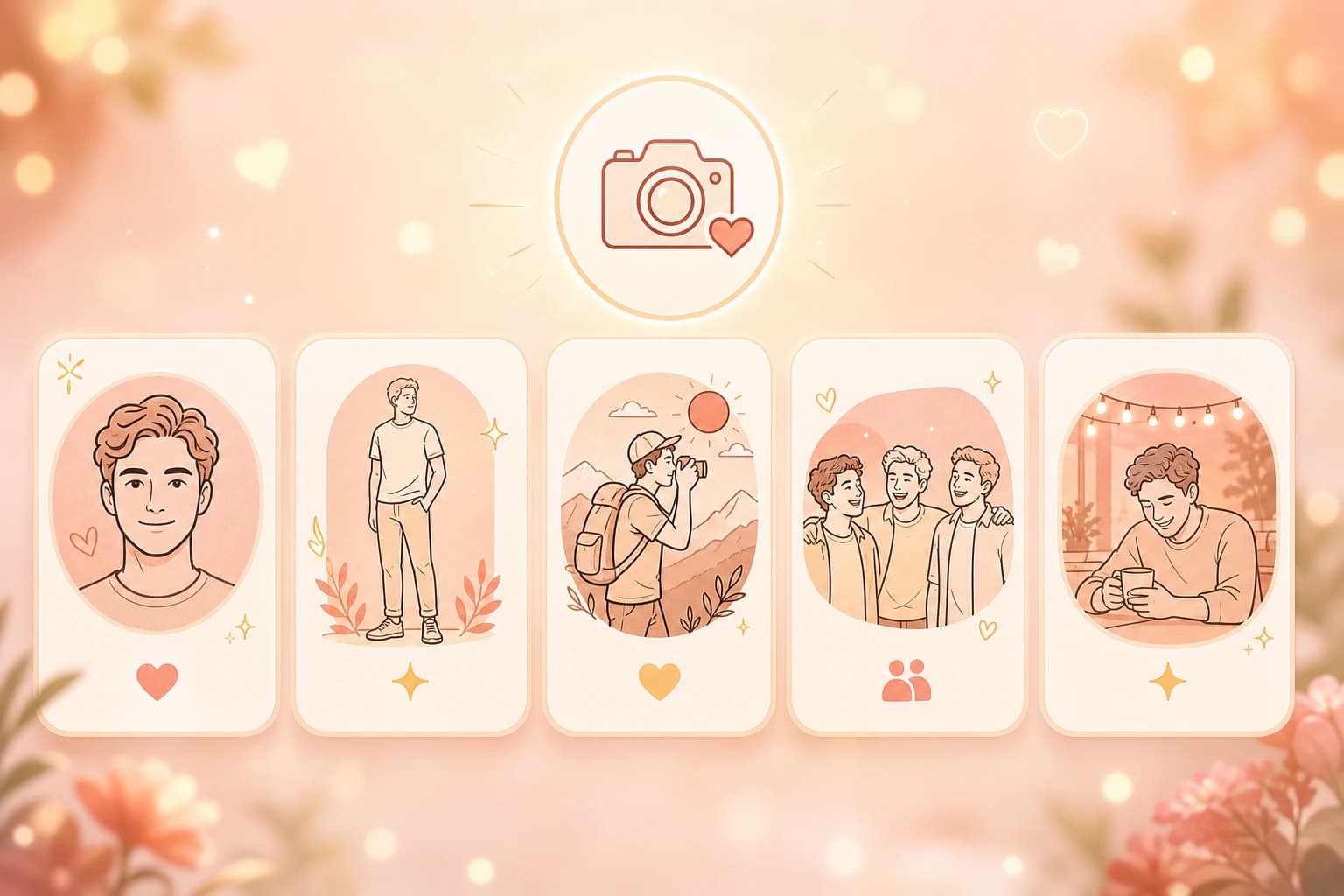
Photo Order:
- Best full face photo
- Full body photo
- Activity/hobby photo
- Social proof photo
- Personal memory photo
Best Practices:
- First photo is critical; 90% of users only look at first photo
- Full face appearance is recommended
- Photos taken in natural light are preferred
- Group photos should not be used as main profile
- Video support can be used (maximum 15 seconds)
- Complete face verification
Avoid:
- Excessive filtering
- Face-hiding accessories
- Very old photos (5+ years)
- Inappropriate content
- Low resolution
#Bumble Detailed Analysis
#Bumble Photo Technical Requirements
Bumble, a female-focused platform, has different photo standards:
- Maximum photo count: 6
- Recommended resolution: 1200 x 1200 px
- Minimum resolution: 600 x 600 px
- Formats: JPG, PNG, WEBP
- Square requirement: Yes
- Automatic ordering: Yes (no user control)
- Video support: Yes (maximum 30 seconds)
- Best Photo feature: Automatic popular photo sorting
#Bumble Best Photo Feature
Bumble's "Best Photo" feature automatically analyzes photos:
- Monitors engagement rates
- Determines most popular photo
- Automatically puts it in first place
- User can disable this feature
Because of this feature, users have limited control over photo ordering.
#Bumble Community Guidelines
Bumble's community guidelines regulate photo content:
Requirements:
- At least one photo should show only the user
- Full face should be clearly visible
- No adult content
- No inappropriate content
Prohibitions:
- Family photos (children)
- Work uniform photos
- Photos containing only or primarily text
- Memes
- Inappropriate symbols
#Bumble Special Tips
Photo Strategy:
- All photos should be high quality (system auto-sorts)
- Sincere and natural appearances
- Activity and hobby photos are effective
- Current appearance is important
- Video support can be used
Best Practices:
- Use high resolution (1200 x 1200 px)
- Prefer natural light
- Show various angles
- Add activity photos
- Current appearance
#Hinge Detailed Analysis
#Hinge Photo Technical Requirements
Hinge, a "story-focused" platform, has different photo strategy:
- Maximum photo count: 6
- Minimum photo count: 6 (required)
- Recommended resolution: 1080 x 1080 px
- Formats: JPG, PNG
- Square requirement: Yes
- Story expectation: Each photo should tell a story
- Video support: Yes
- Stories feature: Yes (Instagram-like)
#Hinge Stories Feature
Hinge's "Stories" feature is Instagram-like:
- You can add text to photos
- You can use emojis
- Shows personality
- Tells a story
- Increases engagement
#Hinge Algorithm Analysis
Hinge algorithm rewards completed profiles:
- 6 photo requirement
- 3 prompt answer requirement
- Stories usage
- Engagement quality
- Profile detail level
#Hinge Special Tips
Ideal Photo Combination:
- Full face photo (required)
- Full body photo (recommended)
- Activity/hobby photo
- Social proof photo
- Personal memory photo
- Extra story photo
Best Practices:
- Each photo should tell a story
- Use Stories feature
- Add detailed descriptions
- Trust signals should be strong
- Completed profile is required
#OkCupid Detailed Analysis
#OkCupid Photo Technical Requirements
OkCupid, a detail-focused platform:
- Maximum photo count: 10
- Recommended resolution: 1080 x 1080 px
- Minimum resolution: 600 x 600 px
- Formats: JPG, PNG
- Square requirement: Yes
- Tagging feature: Yes
- Question answer integration: Yes
#OkCupid Tagging System
OkCupid evaluates photo tags:
- Cat dog tags
- Activity tags
- Environment tags
- Style tags
- These tags affect algorithm
#OkCupid Special Tips
Photo Strategy:
- Photo quality is critical for algorithm
- Tagging feature should be used
- Various photo types are recommended
- Profile completion rate is important
- Question answers should match photos
Best Practices:
- Use high resolution
- Do tagging
- Show variety
- Profile should be detailed
- Fill out question answers
#Other Platforms (Hily, Badoo, POF)
#Hily Photo Requirements
- Maximum photo count: 9
- Recommended resolution: 1080 x 1080 px
- Video support: Yes
- Live video support: Yes
#Badoo Photo Requirements
- Maximum photo count: 6
- Recommended resolution: 1200 x 1200 px
- Verification feature: Yes
- Video support: Yes
#POF (Plenty of Fish) Photo Requirements
- Maximum photo count: 8
- Minimum resolution: 800 x 800 px
- Formats: JPG, PNG, GIF
- Various format support: Yes
#Photo Selection and Composition Principles
#Photo Types and Usage Rates
According to research, most effective photo types:
Full Face Photo:
- Match rate: +35%
- Trust signal: High
- Usage: Recommended as main profile
- Ideal: Facing directly at camera
3/4 Profile Photo:
- Match rate: +28%
- Trust signal: Medium-high
- Usage: Recommended as second photo
- Ideal: Slightly angled
Full Body Photo:
- Match rate: +22%
- Trust signal: High
- Usage: Recommended as third photo
- Ideal: Natural posture
Activity/Hobby Photo:
- Match rate: +18%
- Trust signal: Medium
- Usage: Recommended as fourth photo
- Ideal: Showing action
Social Proof Photo:
- Match rate: +15%
- Trust signal: High
- Usage: Recommended as fifth photo
- Ideal: Group but focus on you
#Composition Rules
Rule of Thirds:
- Divide image into 3x3 grid
- Place subject at intersection points
- Eye level should be in upper third
- Provides professional and balanced appearance
- Natural and aesthetic composition
Eye Level:
- Eyes should look at camera or be slightly angled
- Full side view (profile) is 15% less effective
- Downward look is 12% less effective
- Upward look is 8% less effective
- Eye contact sends trust signal
Background Cleanliness:
- Avoid cluttered backgrounds
- Prefer solid colors or simple patterns
- Focus should be on main subject
- Depth of field can be used
- Avoid distracting elements
#Light and Exposure
Natural Light:
- Golden hour (morning/evening) is best light
- Avoid direct sunlight
- Window light is ideal
- Soft shadows are preferred
- Light source should be in front of face
Exposure:
- Avoid overexposure
- Avoid underexposure
- Balanced exposure is ideal
- Histogram check can be done
- Shadows should be detailed

#AI Photo Enhancement
#Advanced Enhancement with Nothron Neural Engine
Nothron Neural Engine offers AI-based photo enhancement technology:
- Automatic color correction: Optimizes color balance
- Light optimization: Corrects exposure
- Sharpening: Clarifies details
- Noise reduction: Cleans ISO noise
- Face enhancement: Naturalizes skin tone
- Contrast optimization: Adjusts image contrast
Usage scenarios:
- Photos with insufficient light
- Images with unbalanced colors
- Low resolution photos
- Skin tone correction need
- Noisy photos
#Skin Tone Enhancement with Nothron Natural Glow
Nothron Natural Glow is designed to naturally improve skin tone:
- Natural skin tone: Avoids excessive changes
- Blemish reduction: Slightly reduces acne and spots
- Shine control: Reduces oily appearance
- Skin texture: Preserves natural texture
- Consistency: Same appearance across all photos
Usage scenarios:
- Selfie enhancement
- Skin tone correction
- Cosmetic blemish reduction
- Natural appearance preservation
- Portrait photos
#Old Photo Restoration with Nothron Legacy Touch
Nothron Legacy Touch is used to restore old photos:
- Damage repair: Cleans scratches and spots
- Color restoration: Revives faded colors
- Sharpening: Sharpens blurry photos
- Colorization: Colorizes black and white photos
- Digitization: Converts analog photos to digital
Usage scenarios:
- Old profile photos
- Family photos
- Memory photos
- Archive images
- Scan enhancement
#AI Usage Ethical Guidelines
Can Do:
- Natural color correction
- Light optimization
- Slight sharpening
- Blemish reduction (slight)
- Background cleanup
- Noise reduction
Should Not Do:
- Changing face shape
- Completely changing skin color
- Changing body proportions
- Excessive filtering
- Creating completely different appearance
- Age changing
- Identity distortion risk
#Platform-Based Strategies
#Tinder Strategy
Photo Order:
- Best full face photo
- Full body photo
- Activity/hobby photo
- Social proof photo
- Personal memory photo
Tips:
- First photo is critical; 90% of users only look at first photo
- Use natural expressions
- Show variety
- Use current photos
- Group photo should not be main profile
- Complete face verification
- Use video support
Best Practices:
- Use high quality photos
- Take in natural light
- Show various angles
- Add activity photos
- Maintain current appearance
#Bumble Strategy
Photo Order:
- System auto-sorts (no user control)
- All photos should be high quality
- Sincere and natural appearances
Tips:
- Photos should be high quality
- Sincerity is priority
- Activity photos are effective
- Current appearance
- Understand Best Photo feature
Best Practices:
- Use high resolution
- Natural expressions
- Show variety
- Use video support
#Hinge Strategy
Photo Order:
- Full face (required)
- Full body (recommended)
- Activity/hobby
- Social proof
- Personal memory
- Extra story photo
Tips:
- Each photo should tell a story
- Use Stories feature
- Add detailed descriptions
- Trust signals should be strong
- Completed profile is required
Best Practices:
- 6 photos required
- Use Stories
- Detailed descriptions
- Trust signals
- Fill out prompt answers
#OkCupid Strategy
Photo Order:
- Best quality photo
- Various angles
- Activity/hobby
- Social proof
- Personal memory
Tips:
- Photo quality is critical
- Use tagging
- Show variety
- Profile should be detailed
- Fill out question answers
Best Practices:
- High resolution
- Do tagging
- Show variety
- Detailed profile
- Question answers
#Photo Editing Tools and Techniques
#Professional Editing with Nothron Photo Editor
Nothron Photo Editor is a 100% free and comprehensive editing tool:
- Cropping: Platform-based sizing
- Color correction: Color balance adjustment
- Contrast: Image contrast optimization
- Brightness: Light correction
- Saturation: Color saturation adjustment
- Sharpening: Image sharpness
- Rotation: Image angle adjustment
- Filters: Default filters
Usage scenarios:
- Profile photo editing
- Platform-based cropping
- Color optimization
- Light correction
- Basic editing
#Cropping with Free Online Image Cropper
Free online image cropper provides ready sizes for all platforms:
- Tinder: 640 x 640 px
- Bumble: 1200 x 1200 px
- Hinge: 1080 x 1080 px
- OkCupid: 1080 x 1080 px
- Hily: 1080 x 1080 px
- Badoo: 1200 x 1200 px
- POF: 800 x 800 px
Usage scenarios:
- Platform-based cropping
- Quick sizing
- Batch processing
- Auto-centering
- Maintaining 1:1 ratio
#Round Cropping with Circle Cropper
Circle cropper for round profile photos:
- Round cropping: 1:1 circle format
- Auto face detection: Automatically centers face
- Fine adjustment: Pixel precision
- Preview: Instant result viewing
- Output format: PNG, JPG
Usage scenarios:
- Round profile photos
- Social media cropping
- Avatar creation
- Logo preparation
#Algorithm Analysis and Optimization
#Tinder Algorithm Detailed Analysis
Tinder algorithm uses a complex factor-based system:
ELO Score System:
- Starting score: 1400
- Right swipe: +25 points
- Left swipe: -25 points
- Match: +50 points
- Message: +20 points
- Report: -100 points
Visibility Factors:
- Location-based popularity
- Age range preferences
- Gender ratio
- Active user count
- Premium membership status
Optimization Strategies:
- Use high quality photos
- Monitor engagement rates
- Increase profile completion rate
- Stay active
- Complete face verification
#Bumble Algorithm Detailed Analysis
Bumble algorithm uses a female-focused approach:
Priority Factors:
- Photo quality
- Profile completion
- Engagement quality
- Messaging initiation
- User trust
Best Photo Algorithm:
- Analyzes engagement rates
- Determines most popular photo
- Auto-sorts
- Limited user control
Optimization Strategies:
- All photos should be high quality
- Sincerity is priority
- Initiate messaging
- Profile should be detailed
#Hinge Algorithm Detailed Analysis
Hinge algorithm rewards completed profiles:
Completion Factors:
- 6 photo requirement
- 3 prompt answer requirement
- Stories usage
- Profile detail level
- Engagement quality
Story Factors:
- Text descriptions
- Emojis
- Personality display
- Story variety
Optimization Strategies:
- Use 6 photos
- Fill out 3 prompt answers
- Use Stories
- Add detailed descriptions
#Avoiding Common Mistakes
#Most Common Mistakes
Using Group Photo as Main Profile:
- Match rate decrease: -23%
- Creates confusion
- Identity ambiguity
- Confuses users
Wearing Sunglasses or Hat:
- Match rate decrease: -18%
- Hides face
- Weakens trust signal
- Identity verification issues
Excessive Filtering:
- Match rate decrease: -15%
- Loses naturalness
- Creates expectation gap
- Weakens trust signal
Using Old Photo:
- Match rate decrease: -12%
- Unexpected encounter problem
- Weak currency signal
- Identity verification risk
Bad Light:
- Match rate decrease: -20%
- Quality perception decreases
- Professionalism lost
- Detail loss
#Other Mistakes to Avoid
Same Type Photos:
- Lack of variety
- Boring profile perception
- Story lack
- Personality lack
Excessive Selfie:
- Lack of professionalism
- Excessive self-focus
- Weak social signal
- Environment lack
Inappropriate Photos:
- Children photos
- Family photos
- Work place photos
- Uniform photos
- Inappropriate symbols
Low Quality Photos:
- Pixelation
- Blur
- Bad light
- Small size
- Low resolution
#Profile Photo Testing and A/B Testing
#A/B Testing
To test your profile photos:
- Rotate different photos: Every 2-3 weeks
- Monitor engagement rates: Right/left swipe
- Check messaging rates: Messages initiated
- Analyze match rates: Successful matches
- Platform-based analysis: Separate test for each platform
#User Feedback
Get feedback from friends:
- Which photo is best?
- Which photo looks sincere?
- Which photo looks professional?
- Which photo gives trust?
- Which photo is interesting?
#Profile Analysis
Regularly analyze your profile:
- Photo quality
- Variety
- Currency
- Consistency
- Storytelling
- Engagement rates
#Frequently Asked Questions
#How many profile photos should I have on dating apps?
You can upload 6 photos on Bumble, 6 (required) on Hinge, 9 on Tinder, and 10 on OkCupid. Each platform allows different numbers of photos but generally 4-6 photos is ideal; too few photos mean less interest, too many photos create a perception of low quality. Hinge requires minimum 6 photos.
#What is the best photo size for dating apps?
Tinder requires minimum 600 x 600 px, maximum 640 x 640 px. Hinge recommends 1080 x 1080 px, Bumble recommends 1200 x 1200 px. OkCupid recommends 1080 x 1080 px. You can resize your photos to the right size with free online image cropper.
#What angle should my profile photo be?
Photos facing directly at the camera or slightly angled (45 degrees) yield the best results. Full profile and 3/4 profile angles send trust and intimacy signals. Highly angled photos (90 degrees or more) are generally less preferred.
#Should I use group photos on dating apps?
Avoid using group photos as your main profile photo. Research shows that profiles with group photos get 23% fewer matches. However, group photos showing social proof can be used as second or third photos.
#Is AI photo enhancement ethical?
Natural enhancements are ethical; excessive changes are not. You can do color correction, light optimization and slight sharpening with Nothron Neural Engine. However, changing face shape or creating a completely different appearance erodes trust.
#How does Tinder algorithm evaluate photos?
Tinder uses ELO score system. Photo quality, engagement rates (right/left swipe), profile completion rate and user activity determine the score. As of 2026, Tinder requires face recognition verification for new US users.
#How should I order photos on Bumble?
On Bumble, photos are automatically ordered by the system, not by the user. The 'Best Photo' feature puts the most popular photo in first place. Therefore, you don't need to put your best photo first; the system automatically highlights your most impressive photo.
#What photos should I use on Hinge?
Hinge requires minimum 6 photos and each photo is expected to tell a story. 1 full face, 1 full body, 1 activity/hobby photo, 1 social proof photo and 2 personal memory photos are the ideal combination. Also use Hinge's 'Stories' feature.
#Should I wear sunglasses or a hat in my profile photo?
Your face should be fully visible in your main profile photo. Sunglasses and hats are accessories that hide the face; research shows these accessories get 18% fewer matches. However, they can be used in other photos to show style.
#Should I use selfies on dating apps?
Using selfies is not a problem but professional-looking selfies are preferred. Light should be good, background should be clean and skin tone should look natural. You can improve skin tone naturally with Nothron Natural Glow.
#How should OkCupid profile photo be?
OkCupid allows 10 photos and photo quality is one of the most important factors for the algorithm. Use high resolution, well-lit, clearly visible face photos. OkCupid also evaluates photo tags.
#Which tool should I use for photo cropping?
You can do professional cropping and editing with Nothron Photo Editor. For platform-based cropping use our free online image cropper and for round cropping use circle cropper tools. All tools are 100% free.
#How often should I update my profile photo?
Changing a photo every 2-4 weeks keeps the profile fresh. Seasonal photos (beach in summer, skiing in winter) make the profile look current and active. However, changing too frequently can be confusing.
#Can I use my old photos on dating apps?
You can use old photos but they should reflect your current appearance. You can restore your old photos with Nothron Legacy Touch. However, using photos older than 5 years can cause problems in unexpected encounters.
#How does Tinder photo verification work?
As of 2026, Tinder requires face recognition verification for new users in the US. Users must submit a short selfie video. This system is designed to ensure real person authenticity and prevent bot accounts.
#Which Nothron tool is best for profile photo?
Nothron Photo Editor is best for general editing. Use Nothron Neural Engine for color and light optimization, Nothron Natural Glow for skin tone, Nothron Legacy Touch for old photos. All tools are 100% free.
#Conclusion: Success on Dating Apps
The most critical factor for success on dating apps is your profile photo. By applying what you learned in this comprehensive guide:
- You correctly understood platform requirements
- You learned best strategies for photo selection
- You can achieve professional results with AI tools
- You can avoid common mistakes
- You can do profile optimization
- You can develop strategies with algorithm analyses
Get started now:
- Improve Your Photos with Nothron Neural Engine →
- Correct Skin Tone with Nothron Natural Glow →
- Restore Old Photos with Nothron Legacy Touch →
- Do Professional Editing with Photo Editor →
- Resize to Platform-Specific Sizes with Image Cropper →
- Do Round Cropping with Circle Cropper →
- Visit Our Blog for Other Photo Tips →
All tools are 100% free. No registration required. Optimize your profile and get more matches.
Nothron Team
The Nothron team turns experience in AI, computer vision and professional photography into a photo studio that anyone can use.