
AI Old Photo Restoration Guide 2026
Old photo restoration guide 2026: Restore damaged, faded and low resolution photos with AI for free. Try Nothron Legacy Touch.
ON THIS PAGE
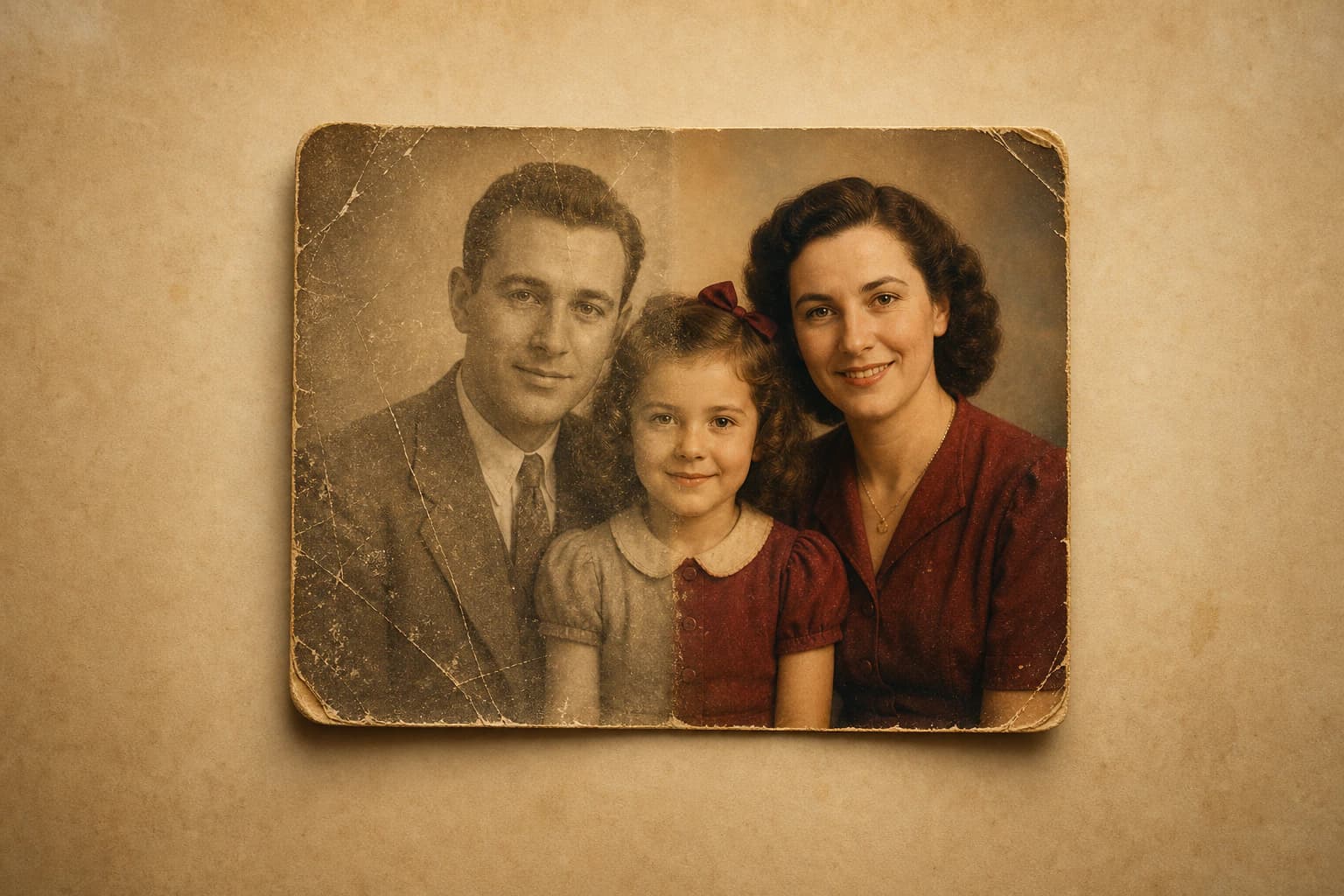
Ever looked at a faded, damaged family photo from your grandmother and wished it looked better? Now turning that wish into reality is both free and takes just seconds.
AI-powered photo restoration technology has made old photo repair—a service once exclusive to professional studios—accessible to everyone. Scratched, faded, torn, or low resolution photos can now be restored in seconds without requiring expertise.
In this comprehensive guide, we cover why old photos deteriorate, how AI works in the restoration process, which types of photos can be restored, and how to get professional results with Nothron Legacy Touch in full detail.
#Why Do Old Photos Deteriorate?
The need for old photo restoration stems from physical and chemical degradation processes. Understanding these processes also helps you protect your photos better.
#Chemical Degradation
Print photos consist of layers containing silver, paint, or chemical compounds. Over time, these compounds oxidize, fade, or lose color balance. Color photos taken between 1960-1990 particularly show the red color channel fading faster than others; that's why photos from that era often appear with a yellow-green tone.
- Yellowing and color shift: Cellulose nitrate and acetate-based films deteriorate over time along with the print paper
- Fading: Direct sunlight exposure damages color pigments through UV rays
- Stain formation: Mold or oxidation stains can form on print photo surfaces due to moisture
#Physical Damage
The physical wear photos endure over years is the most common reason for damaged photo fix needs:
- Scratches: Friction with wallets, frames, or other objects
- Tears: Being pressed between pages or improper handling
- Creases: Rolled or folded photos
- Sticking: Photos sticking to album paper or glass and getting damaged when peeled off
- Moisture and mold: Photos stored in basements or humid environments
#Scanning and Digitization Losses
Quality loss can also occur when a physical photo is digitized. Photos scanned at low DPI become pixelated; dust traces on the scanner surface can appear as scratches or stains on the photo. According to the Library of Congress digital preservation guide, at least 600 DPI is recommended for photo scans, and 1200 DPI for high quality print output.
#Why Is Old Photo Restoration So Important?
#Preserving Family Heritage and Generational Bonds
Family photos are silent witnesses to stories that cannot be expressed in words. An image of a grandfather from his military years, a mother's youth portrait, or parents' wedding photo—these photos are the most valuable visual document of family history.
A photo left to decay takes that story with it. Vintage photo restore enables these stories to be passed to future generations. A family photo digitized and restored can be preserved forever, independent of fire, flood, or physical deterioration over years.
Practical benefits:
- Visual family history transfer to grandchildren
- Document quality for genealogy and family tree research
- Meaningful gift for birthdays, anniversaries, and special occasions
- Reviving photos of lost loved ones during the grieving process
#Cultural and Historical Document Value
Beyond individual photos, old visuals reflect the era's clothing, architecture, street life, and social rituals. Leading cultural institutions worldwide, starting with the Smithsonian Institution, prioritize digitizing and restoring historical photo archives for this reason.
For local history communities, journalists, documentary filmmakers, and researchers, old photo repair is both an aesthetic and documentary necessity.
#Emotional Healing and Memory Refreshing
Visual memory is an extremely powerful trigger psychologically. A faded or damaged photo loses much of its capacity to evoke that moment. A restored visual, however, brings back lost people, moments, and emotions.
Photo restoration becomes a powerful tool for memory preservation and the grieving process, especially at life turning points like parental loss or divorce.
#Professional and Corporate Use
Established businesses' founding period photos, academic institutions' dated documents, and local governments' archive visuals are an important part of corporate identity. Damaged photo fix elevates these visuals to website, promotional material, and press release quality.
#Social Media and Viral Content Potential
Nostalgia content has entered the category of highest engagement on social media in recent years. Shares like "I restored my grandpa from 1950" frequently go viral on Instagram, TikTok, and Twitter. A quality old photo renewal can turn a family memory into emotionally resonant content shared with wide audiences. Before sharing, you can do additional retouching, cropping, and color editing with Nothron Photo Editor.
#Manual Restoration or AI?
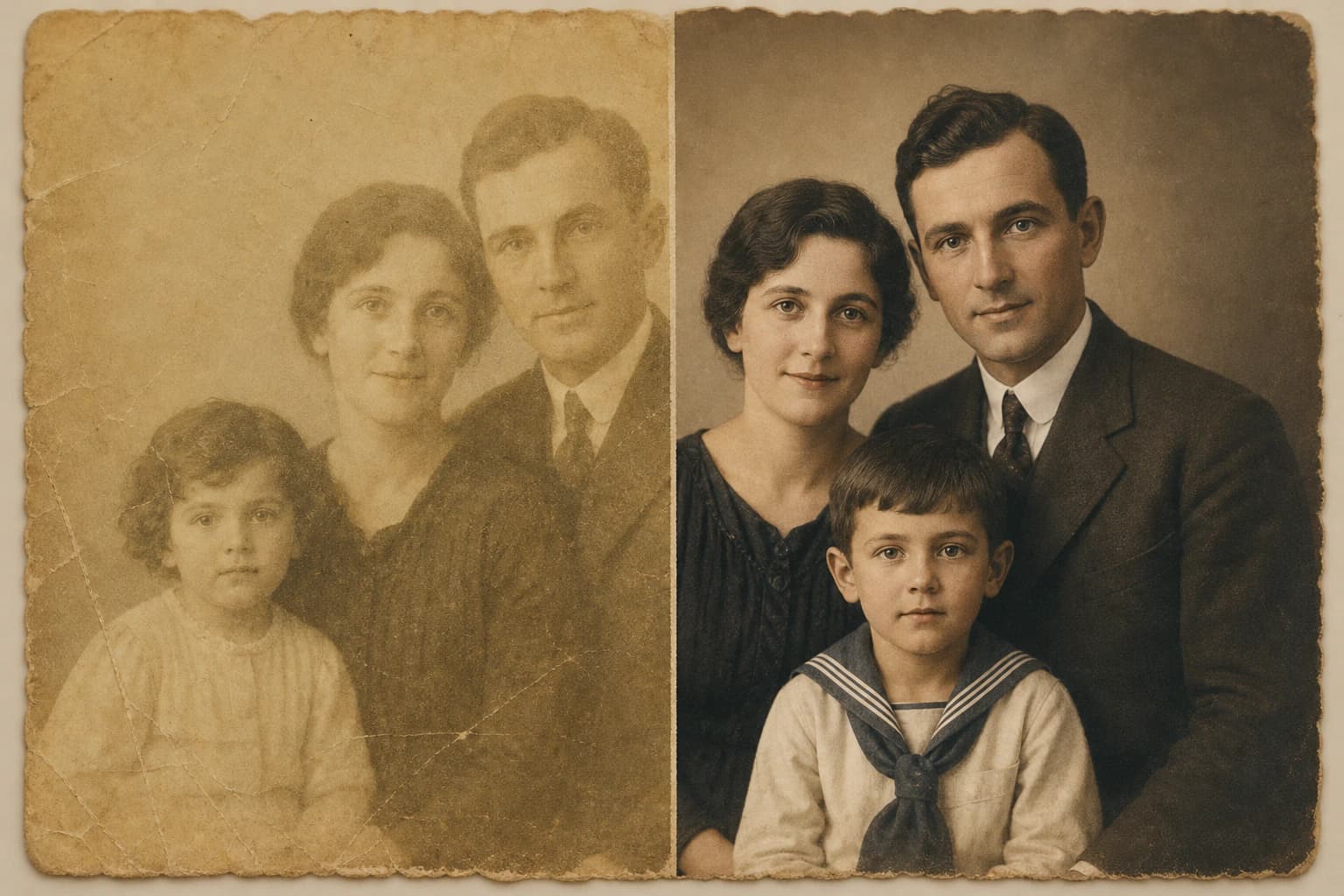
There are two basic approaches for old photo repair: traditional manual restoration and AI-powered automatic restoration. Comparing the advantages and disadvantages of both helps you choose the right method.
Manual Restoration:
- Time: Several hours to several days
- Cost: 50-500 USD (professional)
- Expertise: High Photoshop skills required
- Result control: Full control
- In complex damage: Very successful
- Batch processing: Not applicable
- Privacy: Dependent on local or remote studio
AI Restoration (Nothron Legacy Touch):
- Time: Seconds
- Cost: Free - low
- Expertise: Not required, fully automatic
- Result control: Automatic; preview and comparison available
- In complex damage: Successful, limited manual control
- Batch processing: Multiple photos simultaneously
- Privacy: Browser-based processing, no server
An experienced professional can still make a difference in very complex archive restorations requiring perfect accuracy. However, for individual family photos, social media shares, and general use, AI photo correction tools offer clear advantages in time, cost, and quality.
#How Does AI Photo Restoration Work?
Modern AI restoration tools are built on deep learning and convolutional neural networks (CNN). These models are trained on millions of photo pairs (damaged and original); thus they can predict how a region should look by inferring from the rest of the photo.
#Stage 1: Image Analysis
When a photo is uploaded, AI analyzes the image at the pixel level. In this stage, the following are detected:
- Damage map creation: Scratches, tears, stains, and damaged regions are marked
- Color profile analysis: Existing color distribution, tone balance, and saturation are measured
- Sharpness and noise measurement: Blurry regions, low resolution areas, and film grain are detected
- Face detection: Human faces are recognized and prioritized by a separate model
- Period estimation: The approximate period the photo was taken is estimated from color tone and composition features
#Stage 2: Applying Restoration Algorithms
Based on analysis findings, multiple algorithms work in parallel or sequential fashion:
In-painting: Damaged or missing pixel regions are filled with content suitable to the surrounding texture. This algorithm plays a critical role especially in scratch and tear repair.
Color Transfer and Restoration: Faded color channels are recreated based on the photo's entirety and color palettes learned from similar period examples. For black and white photos, a period color matching model comes into play.
Super-Resolution Upscaling: While pixel count increases in low resolution regions, lost details are generated by AI. This process is not simple enlargement (interpolation), but actual detail synthesis.
Face Enhancement Model: Detected human faces are processed by a separate model. Eye sharpness, skin texture, and facial symmetry are improved within natural limits.
Noise and Grain Removal: Film-derived grain noise is reduced while preserving photo sharpness.
#Stage 3: Quality Validation and Output
After processing completes, the model evaluates the result's consistency with internal quality metrics. An interactive before/after comparison is presented to the user, and high resolution output becomes ready for download.
#Photo Restoration Types and Techniques
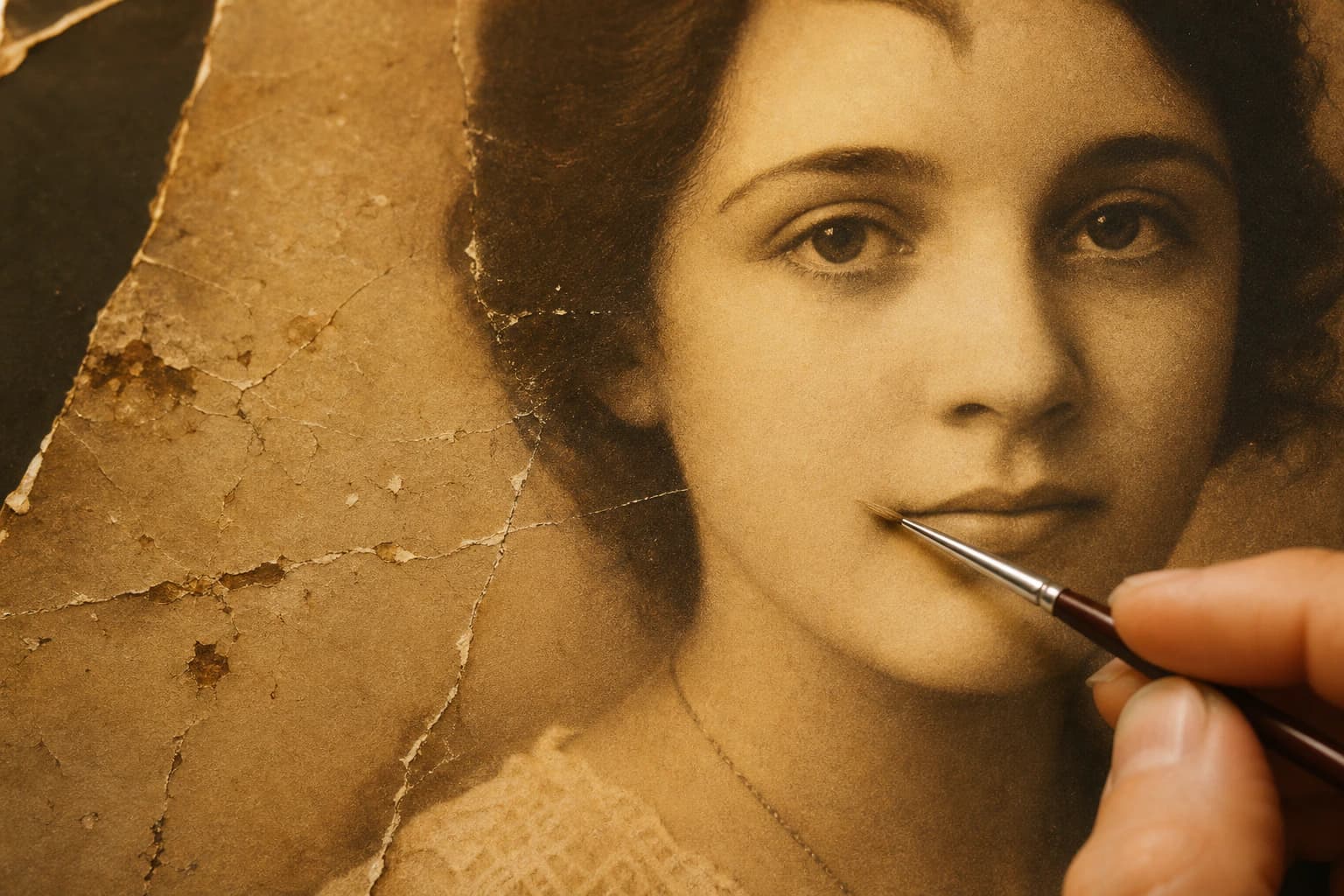
#1. Photo Scratch Removal and Physical Damage Repair
Photo scratch removal is the most common restoration request. Photos carried in wallets, visuals stuck in old albums, and frames from children's hands fall into this category.
The in-painting algorithm recreates damaged pixels using the surrounding area's texture and color information. Scratches containing human faces are particularly a sensitive process: while the face recognition model protects the face, the damage filling area goes through geometric consistency checks.
Successfully repairable damage types:
- Fine and deep scratches
- Torn corners and edges
- Hole and tear regions
- Adhesion traces and scraping damage
- Indentation and fold lines on paper
Limited result situations:
- Damage covering more than 30% of the photo
- Cropped visuals where face region is completely lost
- Areas with multiple layers of overlapping damage
#2. Faded Photo Colorization and Color Restoration
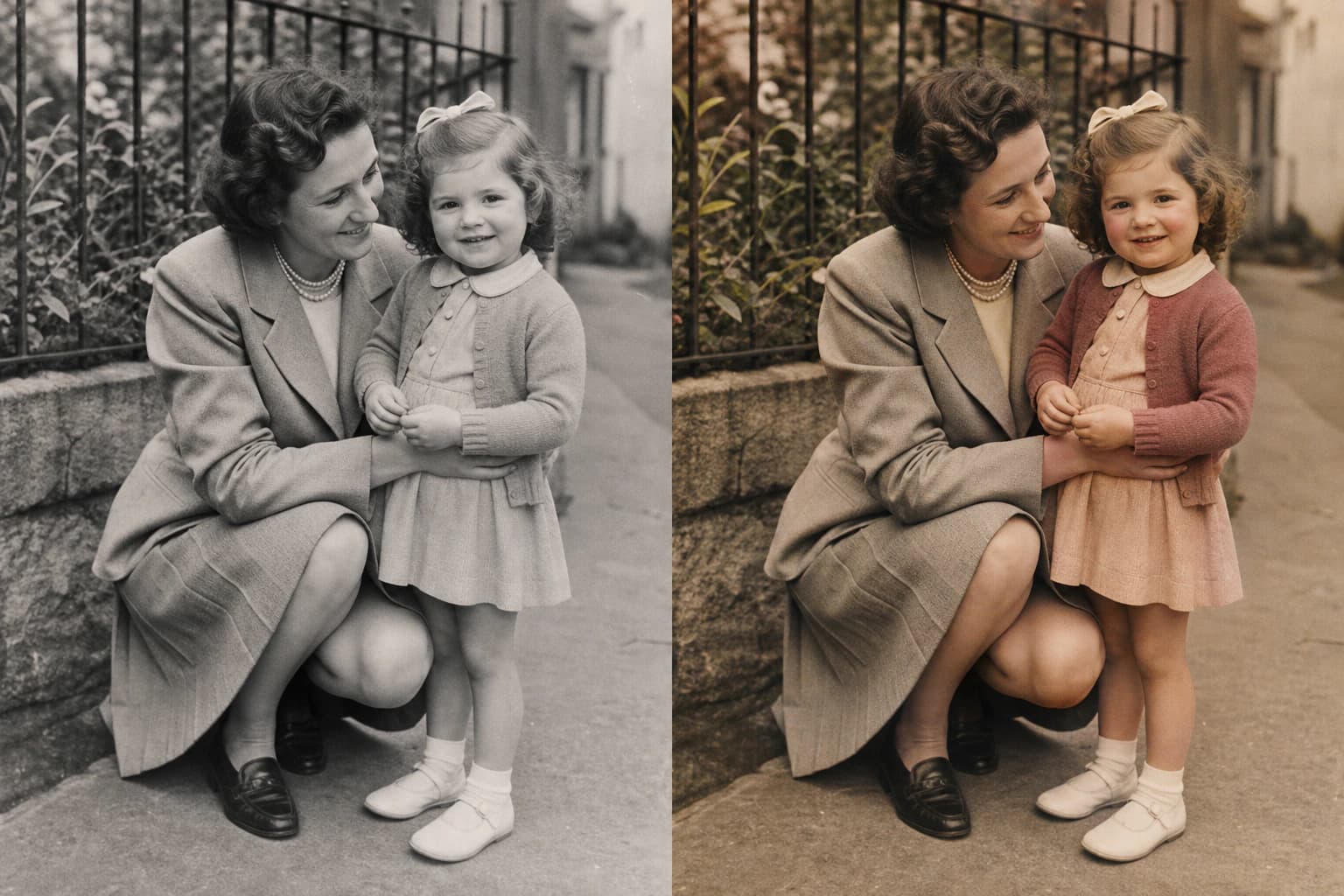
Faded photo colorization encompasses two different processes: renewing existing faded colors and adding color to black and white photos.
Color restoration: Photos taken between 1970-90 show dominant color fading. AI analyzes the relative intensity of existing color channels and re-predicts lost pigments.
Black and white colorization: This process is much more complex. The model classifies objects in the photo (skin tone, sky, vegetation, textile, etc.) and assigns values from period-appropriate color palettes for each category. For example, for a man's suit in a photo from the 1940s, gray and navy tones come to the forefront, while in an image from the 1970s, brown and mustard yellow tones are preferred.
Things to consider:
- Colorization is based on AI prediction; if original colors are unknown, 100% accuracy cannot be guaranteed
- Noting family information (clothing colors, environmental features) before restoration can improve results
- For critical archive photos, colorization should be marked and original black and white version should also be preserved
#3. Old Photo Sharpening and Resolution Enhancement
Old photo sharpening is applied to blurry, low resolution, or overly compressed images. This process is divided into two subcategories:
Sharpening: Edge detection algorithms strengthen ambiguous boundaries in the image. Hair strands, fabric texture, and eye edges benefit most from this process.
Super-Resolution: While image size is enlarged, lost pixel information is synthesized by AI. Since real pixel generation is done, a much sharper and more detailed output is obtained compared to classical enlargement methods.
When it works:
- Blurry portraits where telephoto lens was insufficient
- Photos scanned at low DPI (72-150 DPI)
- Low megapixel outputs of early digital cameras
- Screenshots taken from video frames
#4. Face Enhancement and Portrait Restoration
In portrait photos, the face region is the most critical area. Specialized face processing models work independently of general restoration algorithms to make the following improvements:
- Eye sharpening: Iris details and eye whites are redefined
- Skin texture improvement: Noise-derived roughness is removed while natural texture is preserved
- Symmetry correction: In excessive damage, face geometry consistency is checked
- Lip and eyebrow sharpening: Fine details are brought to the forefront
Important warning: AI face enhancement may not always match the real person's full appearance. The result obtained is the most likely appearance; expert intervention may be recommended for documentary accuracy.
#5. Noise and Film Grain Removal
Film grain, a natural byproduct of analog camera and film processes, becomes pronounced in photos taken at high ISO values or in weak lighting conditions. During digitization, scanner-derived noise is also added.
AI distinguishes grain from real image content and removes only noise. This way, the photo appears both cleaner and sharper.
#Restoration with Nothron Legacy Touch
Nothron Legacy Touch is a free, browser-based platform that combines all these restoration processes in a single tool. No software installation or technical knowledge is required.
#Professional Restoration in 3 Steps
Step 1: Upload Photo Upload JPG, PNG, WEBP, or TIFF via drag-and-drop or file selector. Physical photos can also be uploaded by scanning.
Step 2: AI Analysis and Restoration AI automatically analyzes the photo; applies the most appropriate algorithms in sequence according to damage types. No user intervention is needed during this process.
Step 3: Review and Download Review the before/after comparison with the interactive slider. If satisfied with the result, download the high resolution file.
#Features
- Scratch, tear, and physical damage repair
- Color restoration and fading correction
- Black and white photo colorization
- Sharpness enhancement and super-resolution
- Face enhancement and portrait optimization
- Film grain and noise removal
- Interactive before/after comparison
- Batch photo processing
- JPG, PNG, WEBP, TIFF format support
#Privacy: Browser-Based Processing
One of the most important distinctions of Nothron Legacy Touch is its privacy architecture. All operations occur in your browser; your photos are never sent to servers. After processing completes, they are deleted from local memory. This fully GDPR-compliant structure enables safe processing of sensitive family photos.
#Which Photos Can Be Restored?
#Family Albums
The most common restoration category. Grandparents, parents' youth shots, childhood photos, and generation portraits fall into this group. Scanning the entire family album and transferring the entire album to digital format with old photo repair is possible.
#Wedding and Engagement Photos
Especially wedding photos from the 1960-1990 period face intense color fading and low resolution issues. Restoration of these photos yields excellent results for wedding anniversaries, gifts to parents, and digital frames.
#Military and Official Documents
Photos of military service, graduation, engagement ceremonies, and official events are valuable for both personal and corporate archives. With damaged photo fix, these documents reach publication and print-ready quality.
#Historical and Archive Visuals
For journalists, documentary filmmakers, museum workers, and local history researchers, restoration of historical photos is a necessity. Smithsonian Institution's digital archive work is shown among the most comprehensive examples in this field.
#Digital Copies of Print Photos
Old prints transferred via scanner carry additional issues like low DPI, dust lines, and color shift. With AI photo correction, these visuals can be elevated to web, social media, and print quality. After restoration, you can use the free online image cropper to bring the visual to the correct size.
#Damaged Official Documents
ID photos from ID card, driver's license, and passport periods; diploma and certificate visuals can be made readable and usable with damaged photo fix.
#Digitizing Photos: Preparation for Restoration
The stage of transferring a physical photo to digital format directly affects restoration quality. The higher the starting quality with correct scanning method, the greater AI's success.
#Professional Digitization with Scanner
Flatbed scanners provide the best result for photo digitization:
- Minimum 600 DPI: Sufficient starting quality for standard family photos
- 1200 DPI: For small format photos (under 3x3 cm), postcards, and negatives
- 2400 DPI and above: For archiving and high quality print work
Clean the scanner glass before scanning; dust particles can be carried as scratches.
#Digitization with Smartphone
High quality smartphone cameras can be used as a scanner alternative. Shooting in a naturally or daylight illuminated (reflection-free) environment, at a parallel angle to the photo is recommended. Apps like Google PhotoScan and Microsoft Office Lens facilitate this process with reflection reduction features.
#Negative and Slide Digitization
To scan from film negative or slides, a special negative scanner or lightbox + macro lens combination is needed. Visuals obtained from this process generally require color correction and sharpening; old photo sharpening tools offer ideal solution in this situation. For more advanced color correction, you can also try the Nothron Neural Engine AI engine.
#Platform-Based Optimization
Optimizing the restored photo according to usage purpose ensures you get the best result.
#Optimization for Instagram
Most frequently used sizes in Instagram profile and posts:
- Square (1:1) — 1080 x 1080 px: Ideal format for feed posts
- Vertical (4:5) — 1080 x 1350 px: Portrait and close-up posts
- Story / Reels (9:16) — 1080 x 1920 px: Story and short video content
- Profile photo — min. 320 x 320 px: Profile visual (high resolution recommended)
You can use our free online image cropper or circle cropper tools to quickly adapt your restored photo to these sizes.
When sharing restored old photos on Instagram, prefer the version with faded photo colorization applied; to increase nostalgia effect, stay faithful to original colors instead of sepia or vintage filter.
#Optimization for Facebook and WhatsApp
In Facebook main feed, 1200 x 630 px posts upload with least compression. While profile photos are displayed at 170 x 170 px, uploading at least 720 x 720 px is recommended; this way sharpness is preserved in desktop view.
For WhatsApp status photos, 1080 x 1920 px vertical format is ideal.
#Optimization for Print Output
If you want to physically print the restored photo:
- 10 x 15 cm print: 1200 x 1800 px (800 DPI)
- 13 x 18 cm print: 1535 x 2126 px (300 DPI)
- 20 x 30 cm poster: 2362 x 3543 px (300 DPI)
- Canvas print: Minimum 3000 px long edge, TIFF format preferred
#Optimization for Digital Frame and TV
Modern digital frames and smart TVs prefer 1920 x 1080 px (Full HD) or 3840 x 2160 px (4K) resolution. After super-resolution is applied to restored old photos, you can obtain output suitable for these sizes.
#Best Practices and Professional Tips
#1. Always Preserve the Original
Before starting the restoration process, backup the original scan file (or digital photo). Store in at least two different locations: local disk and cloud storage. Google Photos, iCloud, or Dropbox can be used free for this purpose.
Golden rule: A restored file should never replace the original; both should be stored together.
#2. Choose the Correct File Format
- Web and social media: JPG, %85-90 quality
- Digital archiving: PNG or TIFF, lossless
- Print output: TIFF, minimum 300 DPI
- Email sharing: JPG, %75-80 quality
#3. Step-by-Step Approach for Complex Damage
Don't expect perfect results in a single step for photos containing multiple damage types. First address the most prominent damage (physical damage or scratch), then move to color and sharpness corrections. Save each step separately.
#4. Examine Face Region Closely
After restoration completes, inspect the face region at %100 zoom. Eyes and mouth area are the most sensitive points. If artificial appearance exists, accept the general restoration result and apply additional processing for the face region.
#5. Color Calibration
Display the restored photo on multiple screens (computer, tablet, phone). Since screen profiles differ, color perception may change. Monitor calibration is particularly important before printing.
#6. Use Period Information
If you know the period the photo was taken, evaluate this information during colorization. Color palettes of the 1940s and 1970s differ significantly. Details learned from family elders (clothing color, season, location) can improve colorization accuracy.
#Common Mistakes
#Deleting the Original
The most common and irreversible mistake. If the restored version remains as the only record, the opportunity to re-process with better tools in the future disappears.
#Scanning at Too Low DPI
The amount of detail AI can "generate" in a photo scanned at 72 DPI is limited. If starting quality is low, restoration also remains limited. Investing in the scanning stage directly improves restoration result.
#Over-Processing
Pushing every setting to maximum or applying multiple restoration tools on top of each other disrupts the image's naturalness. Your goal should not be a perfect studio photo, but a "reasonably good looking and faithful to original" restoration.
#Believing Artificial Colorization is Real
Colorizing a black and white photo with AI is a prediction. Sharing the restored color version with the claim "original colors were this way" can be misleading; caution should be exercised especially with historical documentary photos.
#Relying on Only One Platform
Different tools produce different results for different damage types. Nothron Legacy Touch is a strong starting point for general restoration; in special cases where result is unsatisfactory, comparing with alternative tools is always a good practice.
#Post-Restoration Archiving
Archiving restored files properly is as important as restoring old photos.
#Digital Archive Structure
Folder structure recommendation:
- Family Photo Archive
- Originals — raw scans, untouched files
- Restored — processed versions (date-based folders, e.g., 2026-05)
- Social Media Sizes — versions cropped according to platform sizes
- Print Quality — high resolution TIFF files
#Adding Metadata
Add EXIF metadata to restored photos: person name, capture year (estimated), location, and event. This information facilitates search and organization in photo management software (Google Photos, Apple Photos, Lightroom).
#Cloud and Physical Backup
- Primary cloud: Google Photos or iCloud (automatic synchronization)
- Secondary cloud: Dropbox or OneDrive (manual backup)
- Physical backup: External SSD or USB; update once a year
#Sharing with Family
To share restored photos with family members, a Google Photos album, private Instagram account, or simple cloud folder can be used. Some families prefer to collect these photos on a private website or digital family album.
#Frequently Asked Questions
#Can old photo restoration be done for free?
Basic restoration processes are completely free with Nothron Legacy Touch. No registration required, no credit card asked. Premium plan option is available for advanced features.
#How long does AI photo restoration take?
Nothron Legacy Touch completes analysis and restoration in seconds. Unlike manual restoration that takes hours or days, AI executes this process automatically and quickly.
#Can black and white old photos be colorized?
Yes. AI adds realistic colors to black and white photos using period color palettes and contextual analysis. The result is a prediction; if original colors are unknown, 100% accuracy cannot be guaranteed.
#Can scratched and torn photos be repaired?
Yes. In-painting algorithms close scratches, tears, and physical damage in a way that matches the original texture. If damage exists in face region, a special protection model comes into play.
#Can blurry and low resolution photos be sharpened?
Yes. Super-resolution AI model can sharpen low resolution photos up to several times. Since this process involves real detail synthesis, it yields much better results than classical enlargement.
#How is my photo privacy protected?
Nothron Legacy Touch performs all operations in your browser. Your photos are not uploaded to servers and are deleted from local memory after processing. Infrastructure is GDPR compliant.
#Which file formats are supported?
JPG, PNG, WEBP and TIFF formats are fully supported. You can directly upload old photos in different formats.
#Do I need to download software to restore photos?
No. Nothron Legacy Touch works entirely online. No software, plugin, or application installation is required.
#Can it be used on mobile devices?
Yes. Works seamlessly on all modern mobile browsers including iOS and Android. No separate mobile app download is needed.
#Can batch photo processing be done?
Yes. You can process multiple photos in the same session; ideal for family albums.
#Can vintage photos be restored?
Yes. AI successfully restores vintage photos while preserving the era's character.
#How can I download the restored photo?
When processing is complete, a high resolution download option in JPG, PNG or TIFF format is provided.
#Do I need technical knowledge for damaged photo fix?
No. All processes are automatic. You can get professional quality results without any Photoshop experience or graphic design knowledge.
#Can photos scanned from film negatives be processed?
Yes. Images scanned from negatives generally require color correction and sharpening. Both are applied automatically in Nothron Legacy Touch.
#What can I do if I don't like the restoration result?
After reviewing the before/after comparison, you can exit without saving a restoration result you don't like. To try with different tools or to manually edit specific regions, you can use Photoshop or GIMP.
#Can I restore the same photo multiple times?
Yes, but not recommended. Each restoration process involves compression and pixel changes. Applying multiple processes on top of each other can gradually reduce image quality. Single-time restoration starting from the original file is preferred.
#Conclusion: Act Before Your Memories Fade
According to Library of Congress documents, a large portion of physical photos suffer irreparable damage within decades if not adequately protected. Digitization and restoration reverse this process.
AI-based old photo restoration is now a service accessible to everyone. Damaged photos can be brought to life in seconds, for free, and without technical knowledge.
What you learned in this guide:
- Why old photos deteriorate and how to protect them
- How AI performs scratch repair, color restoration, sharpening, and face enhancement processes
- Platform-based optimization (Instagram, Facebook, print, digital frame)
- Pre-restoration digitization techniques
- Correct archiving and backup strategies
- Common mistakes and how to avoid them
Start now:
- Restore Your Old Photos for Free with Nothron Legacy Touch →
- Do Additional Editing with Photo Editor →
- Resize for Platforms with Image Cropper →
- Visit Our Blog for More Photo Tips →
No registration required. No credit card needed. Upload your photo and see the difference in seconds.
Nothron Team
The Nothron team turns experience in AI, computer vision and professional photography into a photo studio that anyone can use.
Related articles

Nothron All-in-One Photo Studio: 2026 Photo Editing Revolution - AI Headshot Generator, Tinder, LinkedIn and Instagram Comprehensive Guide
May 22, 2026 · 35 min read
Nothron Neural Engine: AI Photo Enhancement Technology and Professional Photo Improvement with Artificial Intelligence
May 5, 2026 · 20 min read

Photo Cropping Guide 2026: Circular Cropping and Platform Guide
May 2, 2026 · 24 min read